People & payroll
Run payroll
Gross to net, with statutory contributions, service charge, and a lock you cannot undo.
2 min read · Last reviewed 22 Oct 2026
A payroll run takes a month, gathers everything that affects pay, and produces net figures, payslips and a bank file.
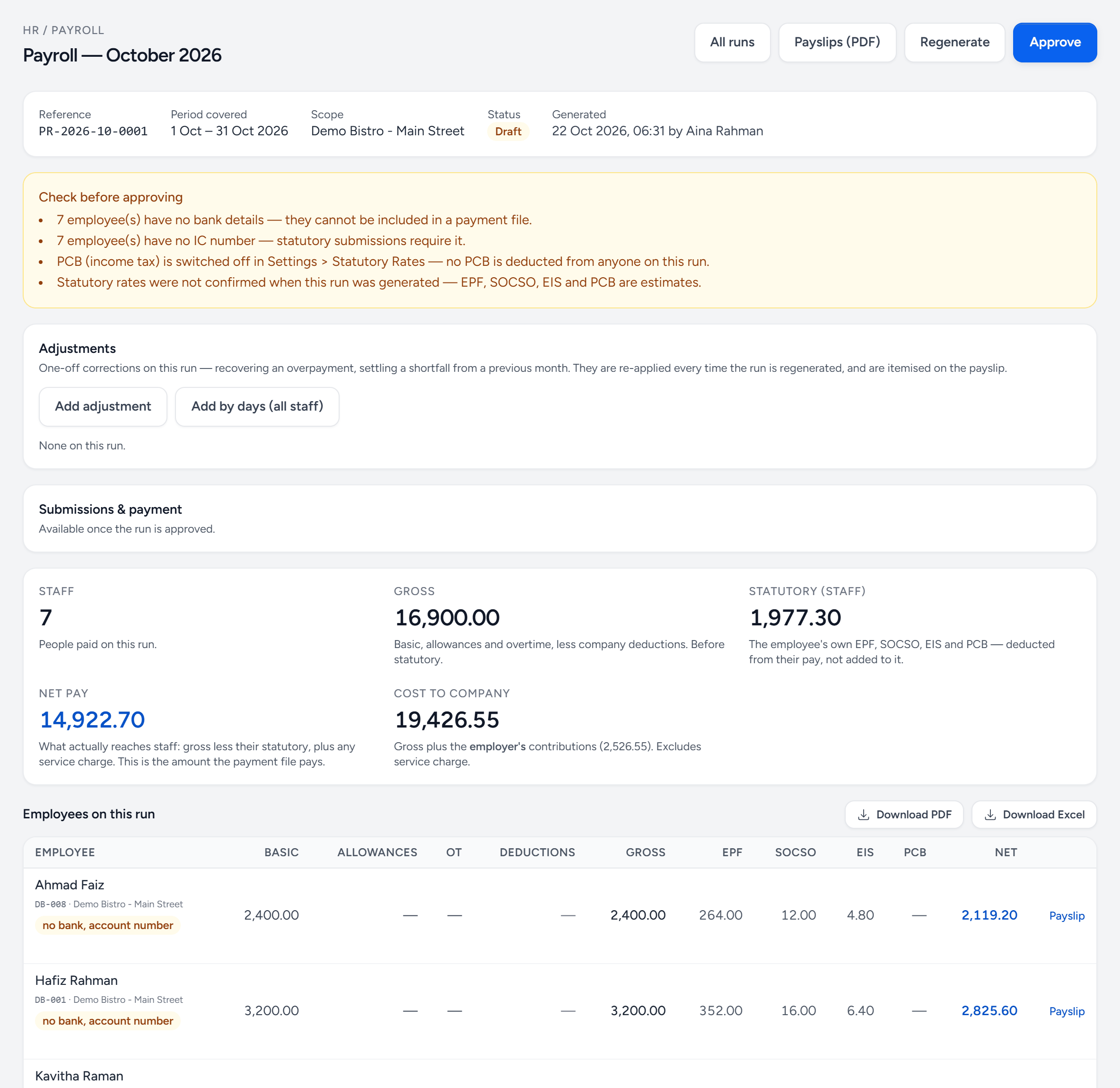
- Approve — locks the run. Payslips and the payment file come from it.
- Regenerate — recalculate the draft after you fix something.
- Payslips (PDF) — every payslip in one file.
- Check before approving — what Servora found: missing bank details, IC numbers, PCB switched off, rates not confirmed.
- Adjustments — one-off corrections, kept and re-applied every time it is regenerated.
- Net pay — what actually reaches staff — what the payment file pays.
- Cost to company — gross plus the employer's contributions.
- A warning on a person — no bank account, so they cannot be in the payment file.
- Payslip — one person's payslip.
Before you start
- Attendance marked for every employee, for every day.
- Overtime claims approved or rejected — not left pending.
- Leave approved, and unpaid leave marked as unpaid.
- Salary changes and new joiners entered.
- The service charge period closed, if you distribute one.
Running it
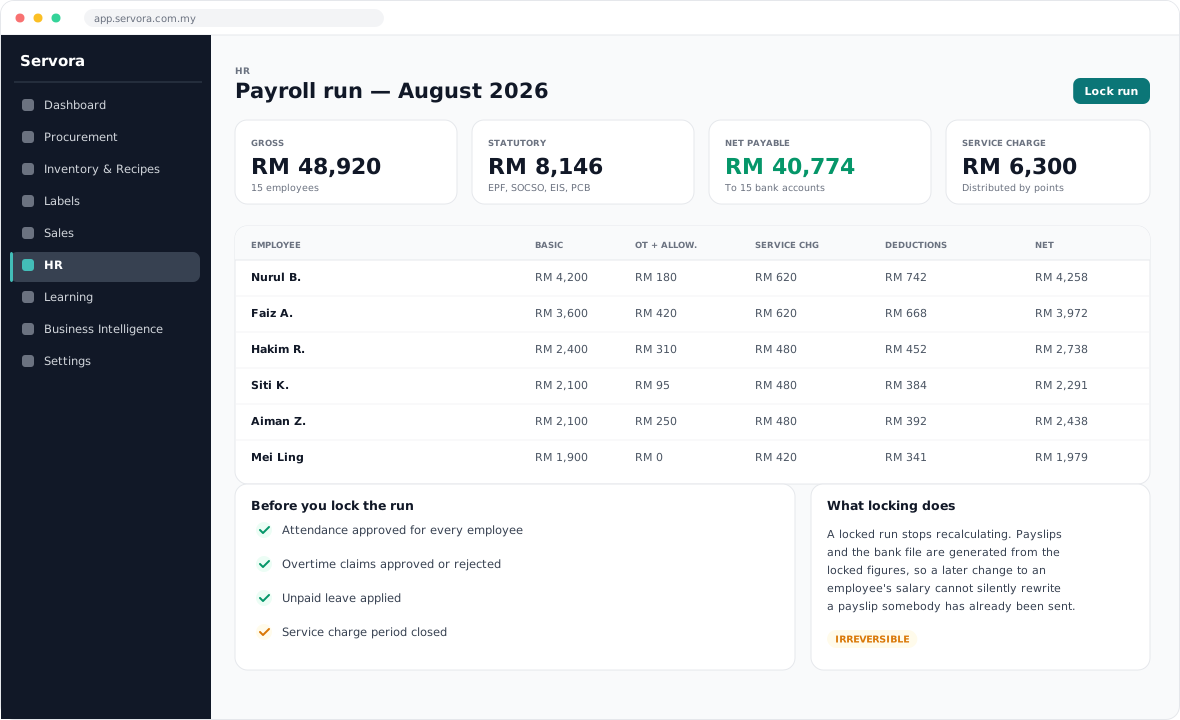
- HR → Payroll → New run. Choose the month and the outlets.
- Servora calculates each employee: basic, allowances, overtime, service charge, then statutory contributions and deductions.
- Review the list. Look at the outliers first — the biggest net, the smallest, anyone whose figure moved a lot since last month.
- Add adjustments where something is not in the system: a one-off bonus, an advance being recovered.
- Lock the run.
What locking means
A locked run stops recalculating. Payslips and the bank file are generated from the locked figures, so a later change to somebody's salary cannot silently rewrite a payslip that has already been sent. It is not reversible — check before you lock, not after.
Payslips
Generated per employee as a PDF and, where you have the addresses, emailed out. Delivery is recorded, so you can see who has received theirs.
Service charge
Where a service charge is collected and distributed, it is calculated over its own period and by points rather than headcount — so days worked, and the attendance codes behind them, decide each share. Close the period before the payroll run reads it.
EA forms
At year end, HR → EA Forms generates each employee's annual statement from the locked runs. Nothing to re-enter, provided the runs were locked as they went.
Still stuck?
Tell us what you were trying to do — a person on our team will reply. If this guide is missing a step or out of date, say so and it gets fixed in the manual, not just in an email.