Purchasing
Credit notes
Getting money back for what was short, damaged or overcharged — and having it show up in the right month.
2 min read · Last reviewed 22 Oct 2026
A credit note is the correction to an invoice. Recording it in Servora rather than just deducting it from the next payment is what keeps your cost of goods honest for the month it belongs to.
When you need one
- Goods you were billed for that never arrived.
- Goods you rejected at the door.
- Damaged stock the supplier has agreed to credit.
- A unit price higher than what was agreed on the order.
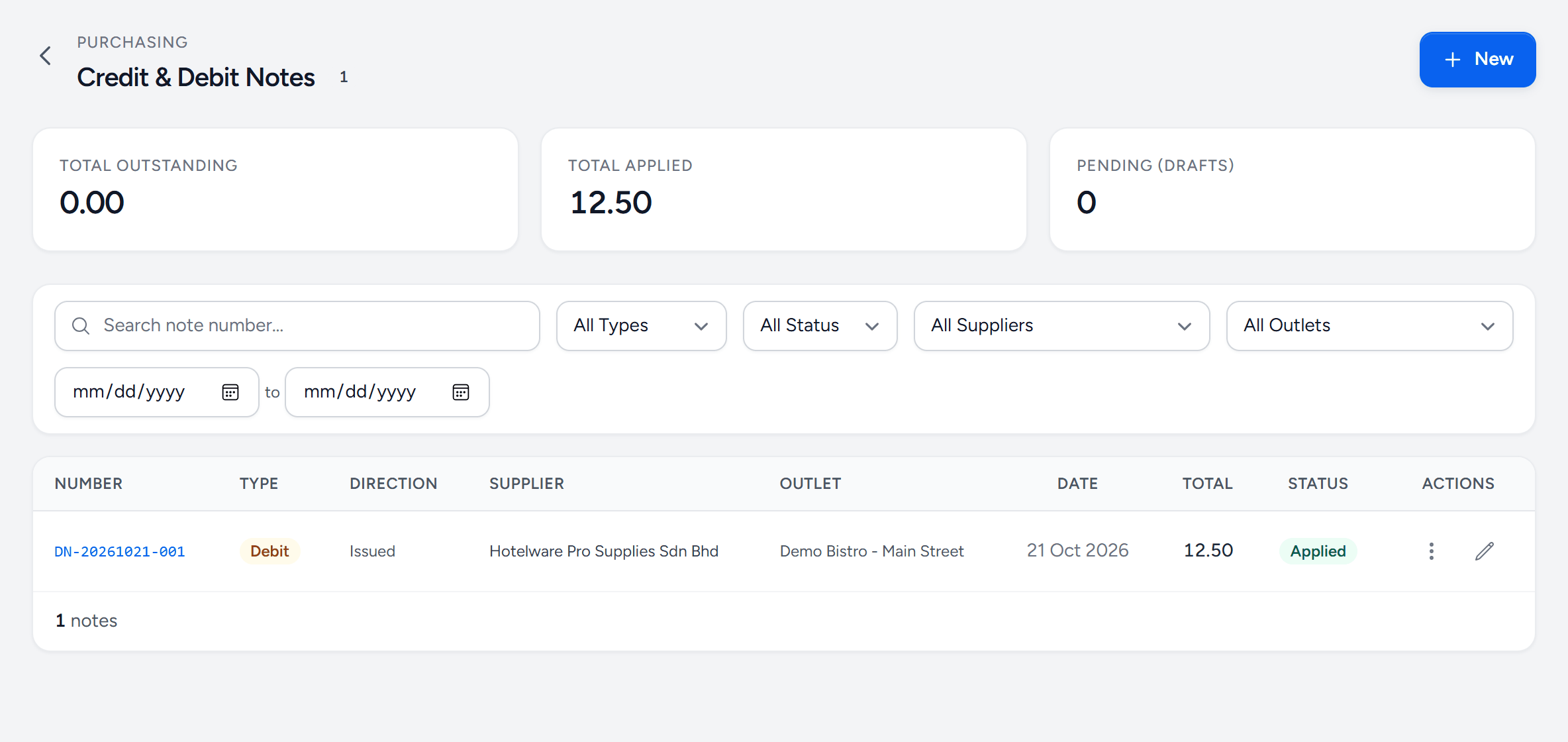
- New — a credit note from a supplier, or a debit note to one.
- Total outstanding — notes issued and not yet set against an invoice.
- Total applied — already taken off what you owe.
- Filters — type, status, supplier and outlet.
- Type — credit: the supplier owes you. Debit: you are telling the supplier what you will not pay.
- Applied — set against the invoice's balance.
Raising one
- Go to Procurement → Orders & Requests → Credit Notes and choose New. Where your company matches invoices, Accept with debit note on an invoice raises one for you.
- Pick the direction — a credit from the supplier is the normal case.
- Add the lines being credited, with the reason.
- Issue it. Once issued, it is applied against the invoice's outstanding balance.
What it does to the numbers
An applied credit note reduces the invoice balance and reduces the cost recorded against those ingredients. If the credit is for goods that were physically returned, it also takes them back out of stock — so record the return rather than adjusting the stock count by hand.
The one that catches people
A credit agreed on the phone and deducted from the next payment leaves your books showing that you paid full price for goods you did not receive, and your food cost that month is overstated by exactly the amount you were credited. Write the note.
Still stuck?
Tell us what you were trying to do — a person on our team will reply. If this guide is missing a step or out of date, say so and it gets fixed in the manual, not just in an email.