AI document capture and analysis
Photograph the invoice. Skip the typing.
Supplier invoices and delivery orders are read from a photo or a PDF, matched to your own ingredients and held for review. Nothing is imported blind, and nobody retypes a line.
No card required. Every module is in the trial.
How it works
Three steps, start to finish.
-
01
Snap or upload
A photo or a PDF of the supplier invoice or delivery order. Z-reports and POS exports too.
-
02
Review the matches
Lines are matched to your ingredients with the unit corrected, and staged in a queue for a person to check.
-
03
Approve and cost
On approval, ingredient costs and price history update, and the invoice is matched against the PO and the GRN.
See the real screen
Ask your own AI about your business.
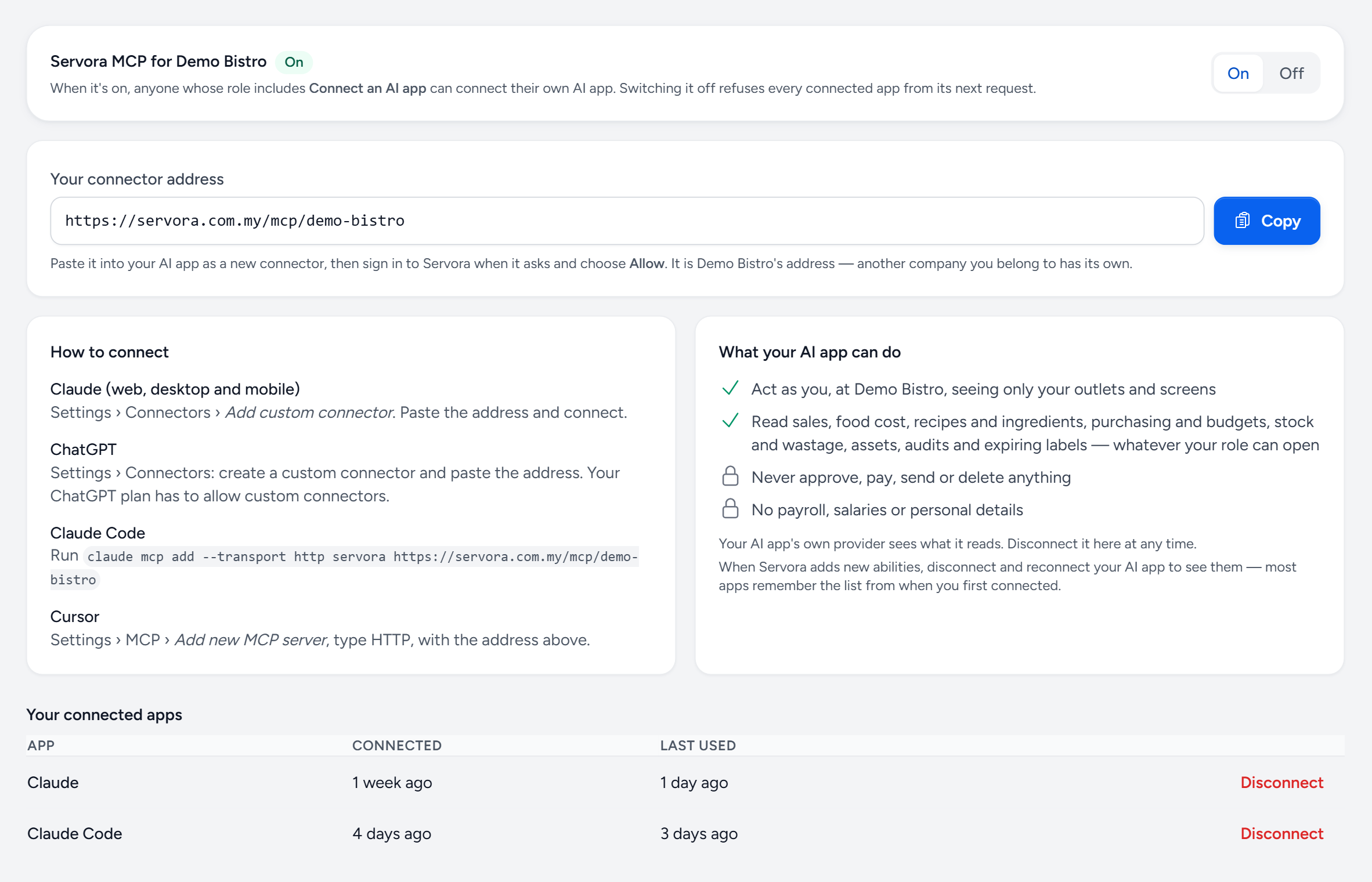
Connect Claude, ChatGPT or Cursor once, then ask it how last week went, which prices rose or what to reorder. It reads Servora live, as you.
- One switch — a Company Admin turns it on for the company, and off for every app at once.
- One address — paste it into your AI app as a custom connector and sign in.
- Read only — it can never approve, pay, send or delete, and never sees payroll.
- Disconnect — see every connected app and when it was last used, and cut any of them off.
In the box
Everything in AI capture.
The typing is the reason costing goes stale. Photograph the invoice and the numbers walk themselves in, with a review step before anything lands.
Basic · more with AI Insights: see what it costs- Supplier invoices and delivery orders read from a photo or PDF
- Extracted lines staged in a review queue, never imported blind
- Rows matched to your ingredients, with UOM corrected before import
- Ingredient cost and price history updated on approval
- Z-report and POS export captured from an image
- Three-way matching of invoice against purchase order and GRN
- Weekly and monthly written reviews of what moved and why
- AI insights over the sales log
- Receipt photos, and Touch 'n Go and Setel statements, read for petty cash and personal claims
- Servora MCP: ask Claude, ChatGPT or Cursor about sales, costs and stock, read-only and limited to what your role can see
Try AI capture on your own numbers.
The trial is the full product for 14 days, with no card required. After that, Free keeps one outlet costing for good.