Servora MCP: ask your own AI
Ask your own AI. It already knows your numbers.
Your AI app signs in to Servora as you. Ask how last week went, which prices rose or what to reorder, and it answers from Servora's own figures, limited to the outlets and screens your role can open.
No card required. Every module is in the trial.
How it works
Three steps, start to finish.
-
01
Switch it on
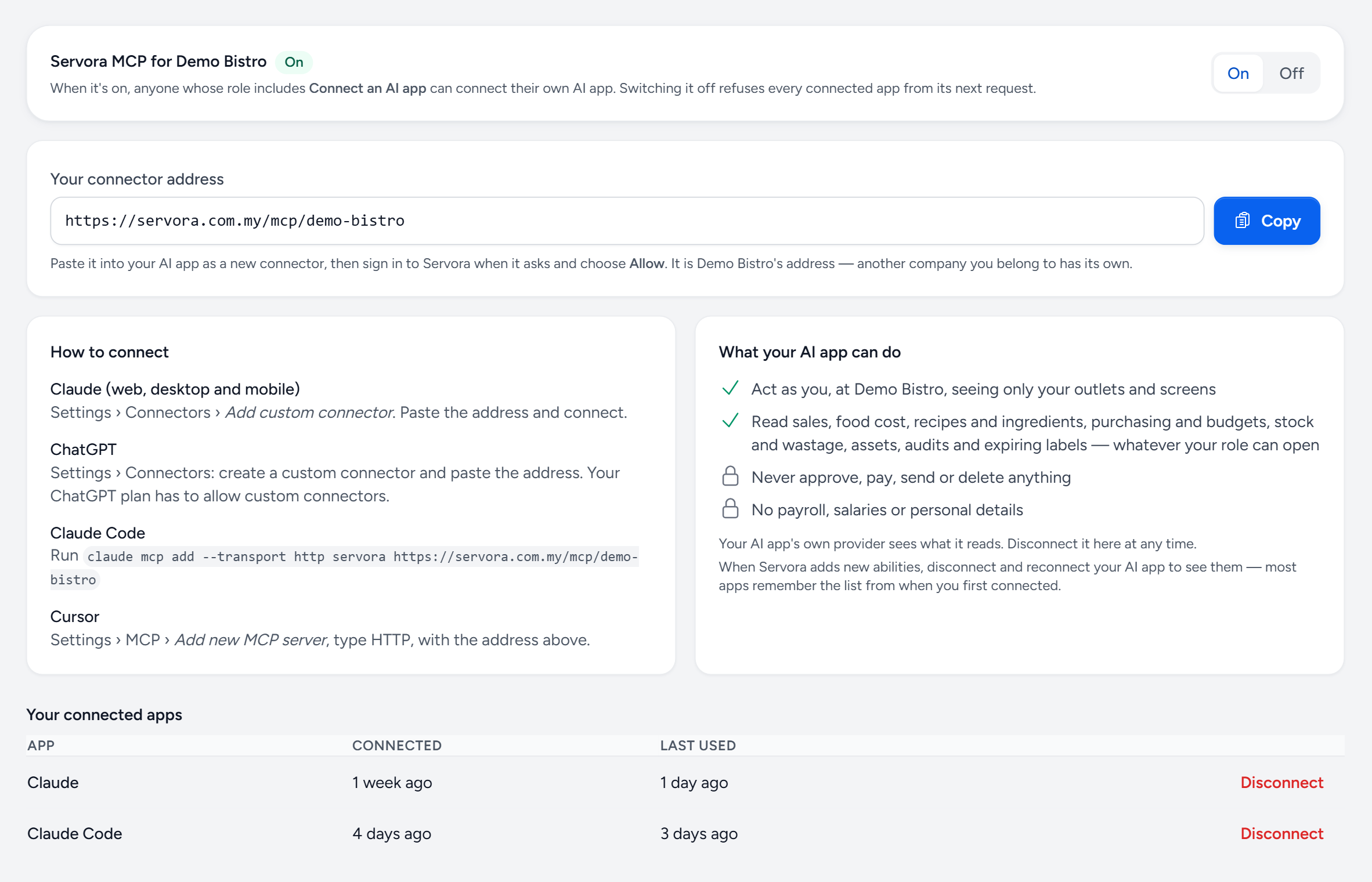
A Company Admin turns Servora MCP on for the company. It is off until they do, and switching it off refuses every connected app at once.
-
02
Connect your AI app
Paste your company's address into Claude, ChatGPT, Claude Code or Cursor as a custom connector, sign in to Servora and choose Allow.
-
03
Ask in plain words
It reads sales, food cost, recipes, purchasing and stock as you, and every record it quotes carries a link back to its screen in Servora.
See the real screen
Ask your own AI about your business.
Connect Claude, ChatGPT or Cursor once, then ask it how last week went, which prices rose or what to reorder. It reads Servora live, as you.
- One switch — a Company Admin turns it on for the company, and off for every app at once.
- One address — paste it into your AI app as a custom connector and sign in.
- Read only — it can never approve, pay, send or delete, and never sees payroll.
- Disconnect — see every connected app and when it was last used, and cut any of them off.
In the box
Everything in Servora MCP.
Connect Claude, ChatGPT or Cursor once, then ask about sales, food cost, stock and purchasing in plain words. It reads Servora live, as you, and never changes a thing.
AI Insights add-on · included in Full: see what it costs- Works with Claude (web, desktop and mobile), ChatGPT, Claude Code and Cursor
- One connector address per company, signed in with your own Servora account
- Acts as you: only the outlets and screens your role can open
- Read only: it can never approve, pay, send or delete anything
- Payroll, salaries and personal details are never shared
- Sales, targets, item sales, busiest hours and menu engineering
- Food cost, COGS, recipe costs and ingredient price changes
- Purchase documents, spend by supplier and department budgets
- Stock on hand against par, stock takes, wastage and transfers
- Assets, audit results and expiring food labels
- Ready-made starters: weekly review, price rise impact, reorder check and menu review
- Off until a Company Admin switches it on, with every connected app listed and a Disconnect for each
Try Servora MCP on your own numbers.
The trial is the full product for 14 days, with no card required. After that, Free keeps one outlet costing for good.