Servora MCP
What Servora MCP can read, and what it never sees
Every area your AI app can answer about, the screen each one follows, and what stays out whatever your role.
4 min read · Last reviewed 23 Oct 2026
Servora MCP answers from the same places your Servora screens do, and it acts as you. So the rule is short: if you can open the screen in Servora, your AI app can read it. If you cannot, it cannot. This page lists what that covers.
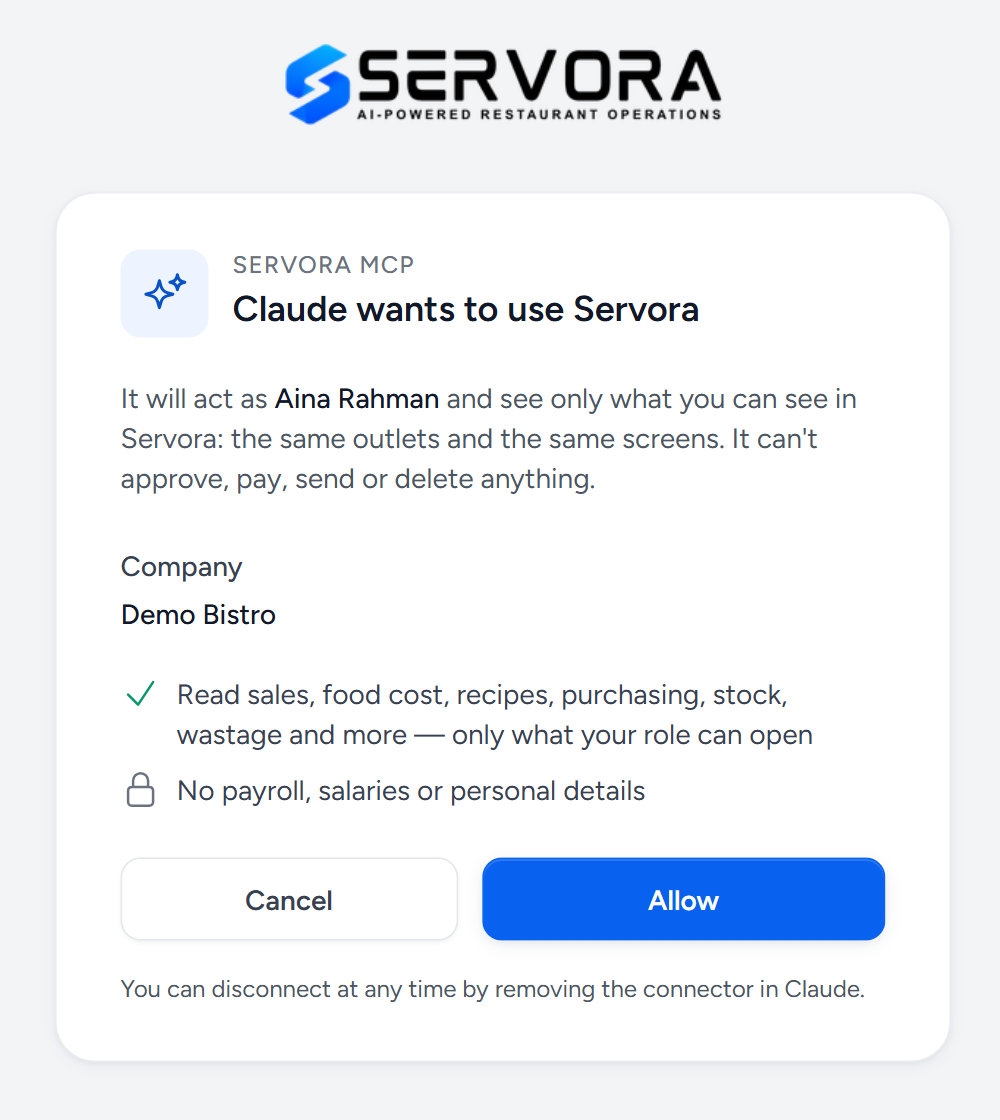
- As you — it sees the outlets and screens of the person who chose Allow, and nothing more.
- One company — the one in the connector address. Another company you work for is a separate connector.
- What it reads — the areas in the table below, as far as your role allows.
- What it never sees — pay, bank details and personal particulars, whatever your role.
What you can ask about
| Area | It can tell you | You need to be able to open |
|---|---|---|
| How the business is doing | Sales this month against last month, purchases and wastage as a share of sales, orders waiting or overdue, budgets in trouble, dishes over their food cost target and expired labels. Each part appears only if you can open its own screen. | The screens behind each part |
| Sales | Net sales, pax and average check by outlet and by day, the days with nothing on file, the same period before, and this month's target with what is still needed per day. | Sales Records |
| Items and the menu | Best and worst sellers, the busiest days and hours, Stars, Plowhorses, Puzzles and Dogs, and the holidays and promotions in your calendar that explain a spike. | Reports |
| Food cost | Cost of goods and food cost % by category, against target and against last month. | Reports |
| Recipes and ingredients | A recipe's cost line by line and its food cost %, an ingredient's cost, suppliers and price history, the recipes that use it, and which prices rose or fell. | Recipes, Market List, and Reports for price changes |
| Purchasing | Purchase requests, orders, goods received, invoices and credit notes, spend by supplier, department and outlet, this week's department budgets, and your suppliers with what they supply. | Orders & Requests |
| Stock | On hand against par and what to reorder, the latest stock takes and their biggest variances, wastage by item and reason, and transfers between outlets. | Stock Management |
| Assets | What is on hand and what it is worth. | Asset Register (Assets add-on) |
| Audits | Scores and outcomes, open findings and corrective actions. | Audits (Audits & Compliance add-on) |
| Staff | Who works where: name, staff ID, designation, outlet, section, who they report to and when they joined, with their status if you can see employment standing; a headcount by outlet and section; and whose food handler, typhoid, halal, passport or visa date has passed or falls in the next 60 days. | Employees (HR & Payroll add-on) |
| Food safety labels | Labelled food that has expired, or is due today or tomorrow. | Expiring labels (Food Safety Labels add-on) |
The figures come from the same calculations as the screens, so a recipe's cost or a week's food cost % is the number Servora itself shows. Each record it reads carries a link back to its screen, so you can open it to check.
Which outlets
Only the outlets your role can see. Ask about "all outlets" and it means all of yours. Name an outlet you cannot see and it says so, rather than answering as though it had no sales.
What it never sees
- Pay: salaries, pay components, service points, payroll, payslips and EA forms.
- Bank details, and personal particulars: IC, passport and visa numbers, date of birth, race and religion, addresses, personal phone and email, family and emergency contacts.
- Employee documents. Staff are shared as work profiles only — see Staff above.
- Receipt files, and other people's personal claims.
- Passwords, PINs and API keys.
- Who owns an audit's corrective actions: it counts them, without names.
It reads, it never writes
No question makes it approve, pay, send, delete, or change a price, a setting or a role. If it suggests what to reorder, raise the purchase request yourself in Servora, where it goes through your usual approvals.
Dates, money and missing days
- Money is in your company's currency, and dates are in your company's time zone.
- "Last week" means Monday to Sunday.
- Sales arrive with the POS import, so the latest days may not be in yet. It says so rather than reading them as zero.
Common questions
My AI app says it cannot see audits (or assets, or labels).
Either your role cannot open that screen, or the company does not have its add-on. Ask a Company Admin. Once you can open the screen in Servora, disconnect and connect your AI app again so it picks the area up.
A colleague's AI app answers questions mine cannot.
Their role can open more screens or more outlets than yours. Each app reads as its own person.
Still stuck?
Tell us what you were trying to do — a person on our team will reply. If this guide is missing a step or out of date, say so and it gets fixed in the manual, not just in an email.