Account & billing
Plans and limits
What your plan includes, what happens at a limit, and how to change plan.
2 min read · Last reviewed 22 Oct 2026
Your plan decides two things: which features are switched on, and how much of the product you can fill up.
The limits
| Limit | Counts |
|---|---|
| Outlets | Active locations. |
| Users | People with a Servora login. Staff signing in to the Staff Portal with a PIN do not count. |
| Recipes | Recipes and prep items. |
| Market list items | Rows in the Market List. |
Settings → Billing shows each of these as a bar: what you are using against what you are allowed.
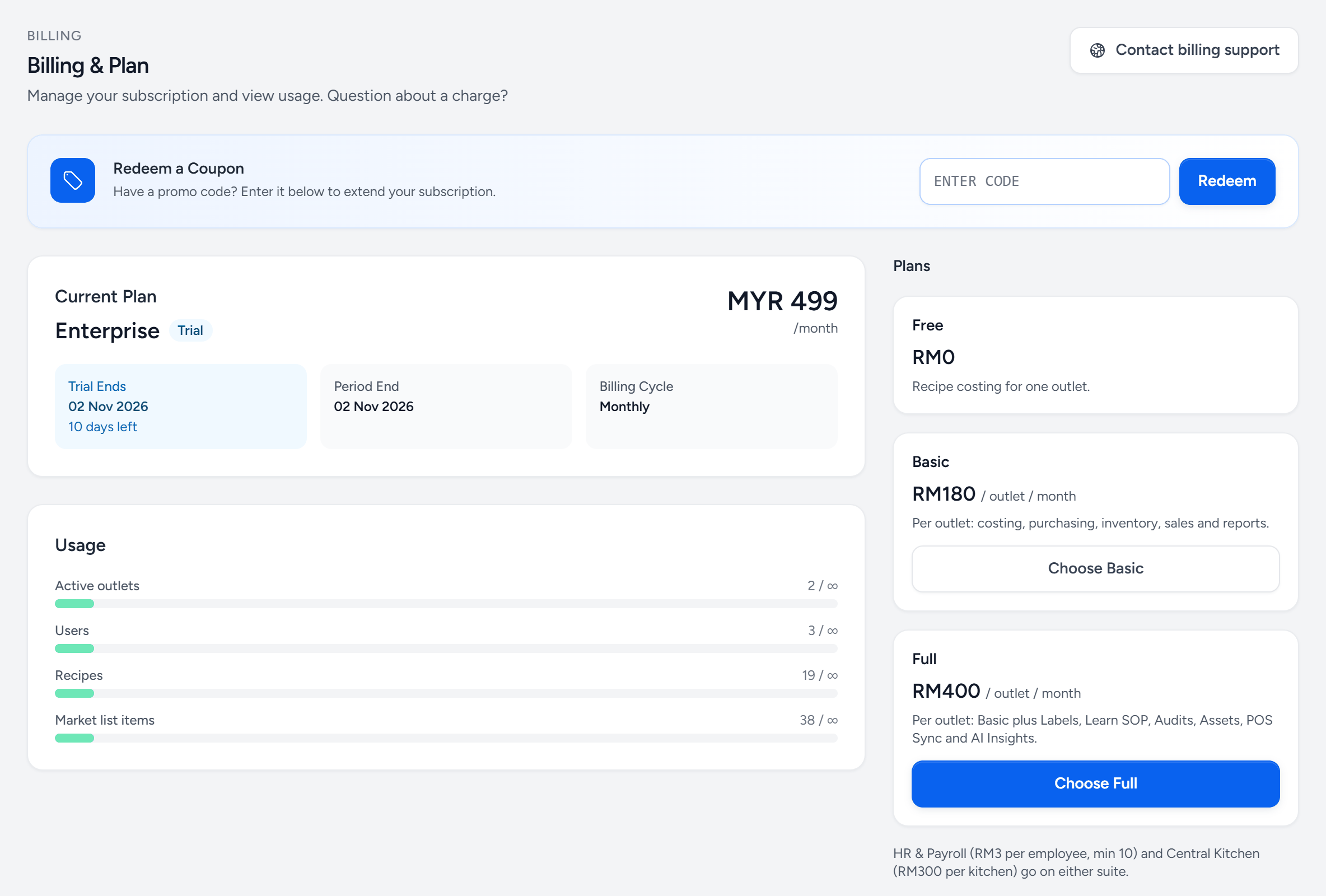
- Contact billing support — a question about a charge goes straight to us.
- Redeem a Coupon — a promo code adds days or a plan.
- Current Plan — what you are on, and what it costs.
- Trial — when it ends, and how many days are left.
- Usage — what you are using against what your plan allows.
- Active outlets — one bar per limit.
- Choose a plan — priced per outlet. The new limits apply straight away.
- Full — everything in Basic plus the modules listed.
- Add-ons — HR & Payroll and Central Kitchen go on either plan.
What happens when you hit one
Adding the next one is blocked, with a message saying which limit and what to do. Nothing already in the system stops working, nothing is deleted, and nobody is locked out. A limit stops you growing, not operating.
Your trial
A new company starts on a trial with everything switched on. The days remaining show on the billing page and in a banner near the end. When it expires the data stays exactly where it is — subscribe whenever you are ready and it is all still there.
Changing plan
Upgrade from Settings → Billing; the new limits apply immediately. Downgrading is worth a conversation first: if you are over the new plan's limits, you keep what you have but cannot add more until you are back under.
Features, not just quantities
Plans are priced per outlet, and some modules are on the Full plan only (Labels, Learn SOP, Audits, Assets, POS Sync and AI Insights). HR & Payroll and Central Kitchen are add-ons on either plan. A menu item that a colleague at another company describes and you cannot find is either a permission or a plan; the billing page tells you which.
Still stuck?
Tell us what you were trying to do — a person on our team will reply. If this guide is missing a step or out of date, say so and it gets fixed in the manual, not just in an email.