Reports & analysis
Audit logs
Who changed what, and when. The screen you hope never to need.
2 min read · Last reviewed 22 Oct 2026
Business Intelligence → Audit Logs records changes to the records that matter: prices, orders, stock, payroll, users and permissions. Each entry has the user, the time, the record and what changed.
What it is for
- A price that changed and nobody admits to changing.
- A purchase order somebody says they never approved.
- A stock figure that moved between two reports.
- A permission that got granted.
Using it
Filter by date, user, outlet, module or action, and open an entry to see each field before and after. Most questions are answered faster from the record itself — many screens show their own activity history — and the audit log is where you go when you do not yet know which record to look at.
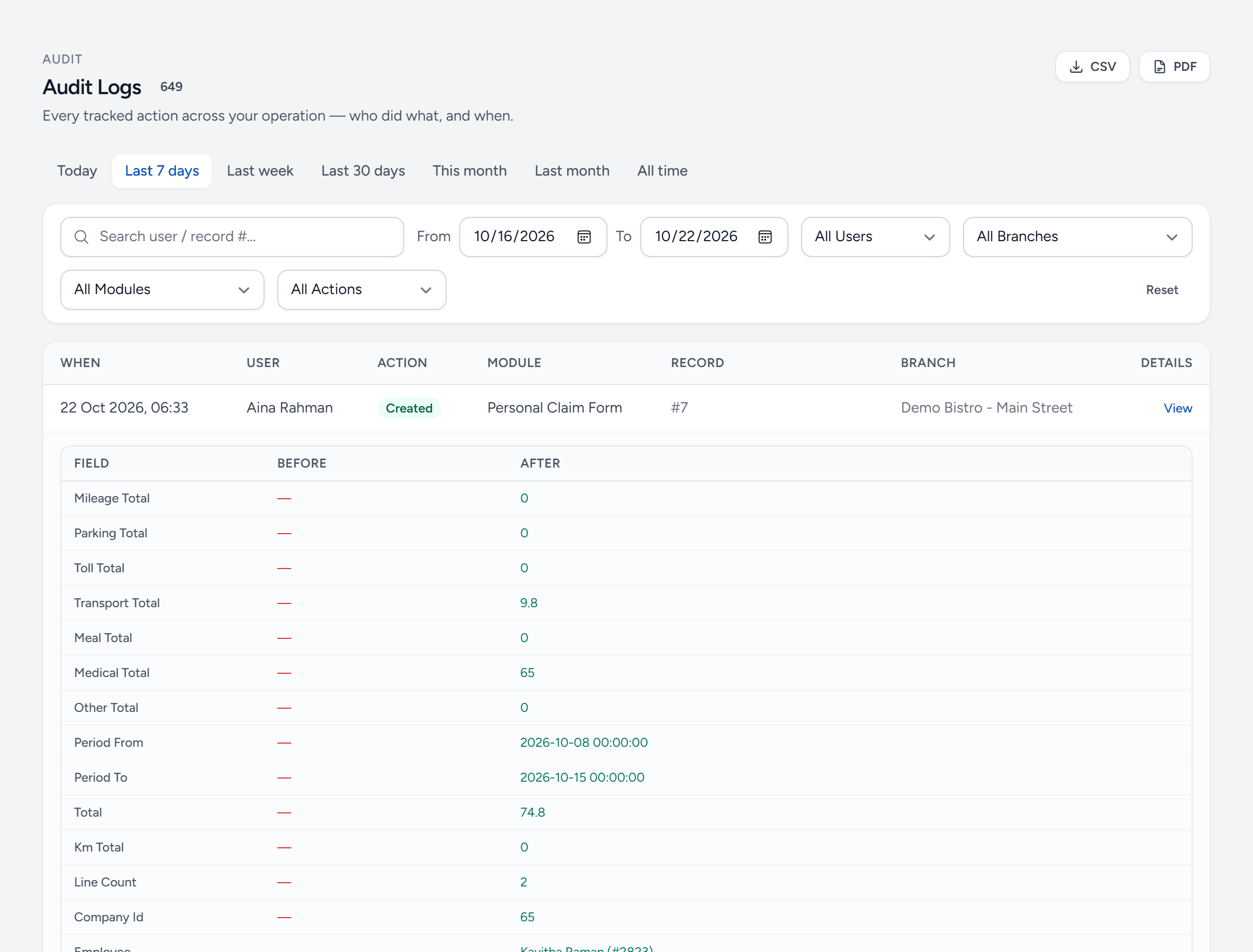
- Export — the filtered log as CSV or PDF.
- Period — today, last week, or any dates.
- Search — by user or record number.
- User — one person's actions.
- Module — one kind of record — purchasing, recipes, users. Actions is beside it.
- Action — created, updated or deleted.
- Before — what the field was.
- After — what it became.
- View — open the record itself.
Who can see it
Audit access is its own permission and is normally held by Company Admins and senior managers only. It contains enough to reconstruct people's actions, which is exactly why it should not be given out widely.
Still stuck?
Tell us what you were trying to do — a person on our team will reply. If this guide is missing a step or out of date, say so and it gets fixed in the manual, not just in an email.