Reports & analysis
AI analysis
Servora reads your own numbers and writes what changed, in words the outlet team can act on.
2 min read · Last reviewed 22 Oct 2026
Reports give you numbers. AI Analysis reads them and writes the paragraph you would otherwise have to write yourself.
What it produces
A short written review of a period: what moved, by how much, and what appears to have caused it — with the figure behind each claim, so it can be checked.
"Food cost rose 1.4pt to 33.4% this week. Chicken thigh is the whole of it — up 18% since Tuesday, across 214 kg. At last month's price the week would have closed at 31.9%."
It is written for the outlet team, not for a board pack: what happened, what it cost, what to do about it.
Running one
- Business Intelligence → AI Analysis.
- Choose the month and the outlet, or all outlets.
- Pick the analysis type: a monthly or weekly review, a trend, a sales forecast, where to cut cost — or ask your own question.
- Run AI Analysis. It takes a moment — it is reading real data, not a template.
Past analyses are kept under Saved Reports, so you can read back through the weeks.
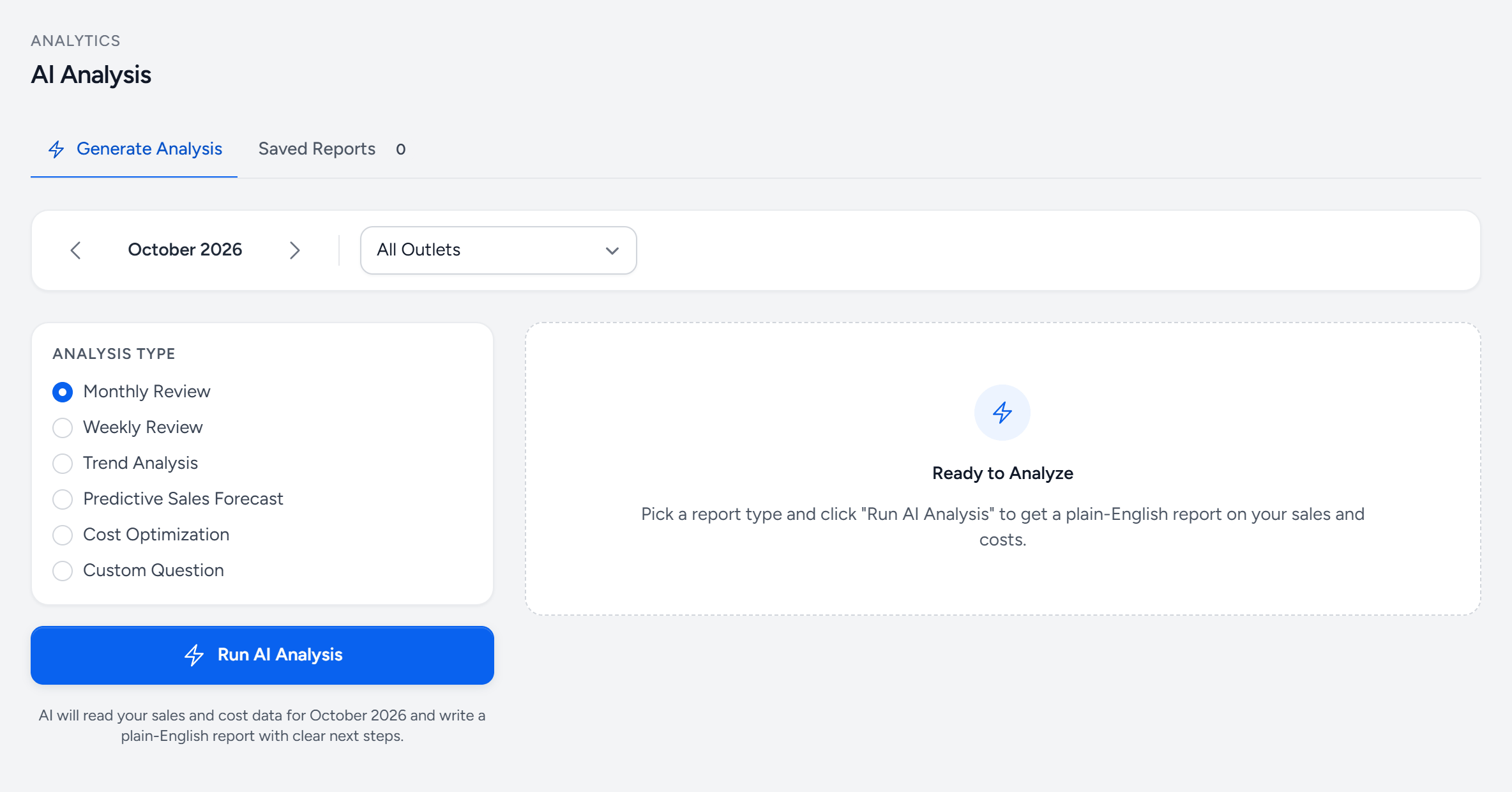
- Generate Analysis — a new one.
- Saved Reports — every analysis you ran, to read again.
- Month — the period it reads.
- Outlet — one, or all together.
- Analysis type — what you want it to look at.
- Custom Question — ask it something in your own words.
- Run AI Analysis — reads your sales and costs, and writes the report.
What it uses and what it does not
It reads your sales, purchases, costs, wastage and labour for the period you asked about. It does not see other companies' data, and nothing about your business is used to train anything.
Treat it as a first draft
It is very good at spotting which number moved and finding the line item behind it. It cannot know that the price rise was a one-off because of a festival, or that the wastage spike was a broken chiller. Read it, check the figures it quotes, and add the context only you have.
Availability
AI Analysis is included on some plans and not others. If the menu item is missing, check your plan under Plans and limits.
Still stuck?
Tell us what you were trying to do — a person on our team will reply. If this guide is missing a step or out of date, say so and it gets fixed in the manual, not just in an email.