Central Kitchen
The kitchen workspace
A second workspace for the people who make the food rather than sell it.
3 min read · Last reviewed 23 Oct 2026
If your business makes prep centrally and ships it to outlets, the central kitchen is a different kind of operation from a restaurant — and it gets its own workspace.
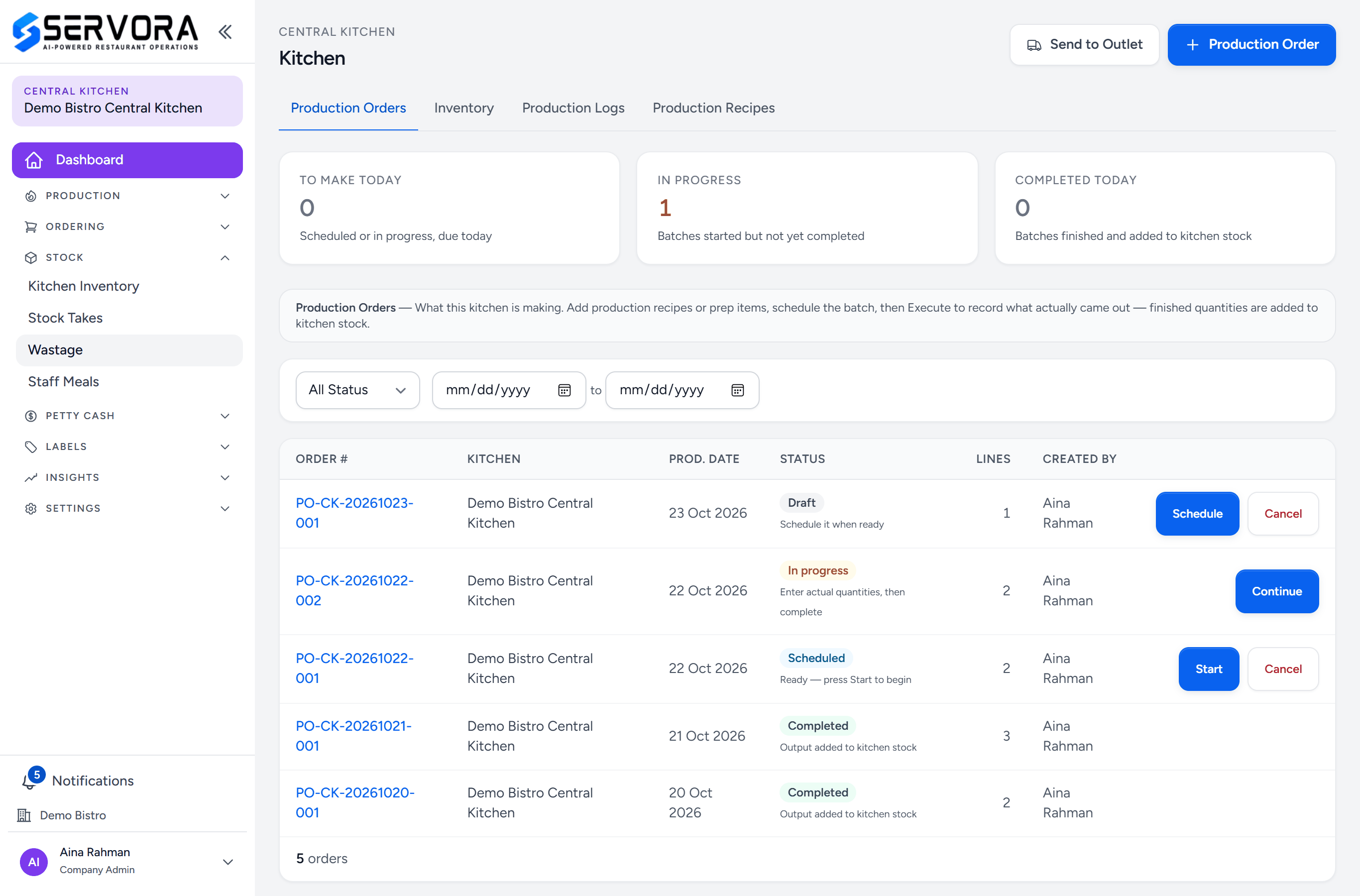
- The kitchen — which central kitchen you are in.
- Production — production orders, a new production order, and the production recipes behind them.
- Ordering — the kitchen's own purchase requests, and receiving the deliveries. Purchasing does the buying.
- Stock — open here: what the kitchen has made, and the store's stock takes, wastage and staff meals.
- Kitchen Inventory — what has been made and not yet sent to an outlet.
- Petty Cash — the kitchen's own cash box.
- Insights — production history and yield analysis.
- Settings — production categories and price classes, and the kitchen's par levels.
- Send to Outlet — transfer what was made to the outlets that need it.
- Production Order — plan a batch.
- Your name — switch back to the outlet workspace from here.
Switching in and out
Users attached to a central kitchen switch workspace from the menu under their name, at the bottom of the sidebar. The outlet workspace is blue and asks "what are we selling?"; the kitchen workspace is purple and asks "what are we making?". The kitchen's name sits at the top of its sidebar.
The colour is doing a job: it is the fastest way to know which set of numbers you are looking at when both are open in two tabs. It is not a status — nothing is wrong because a screen is purple.
What is in it
- Production — production orders, a new production order, and production recipes.
- Ordering — Purchase Requests, New Purchase Request and Receive Deliveries. The kitchen asks for what it needs; Purchasing decides how to fill it (Process requests).
- Stock — Kitchen Inventory (made, not yet sent), and the store's Stock Takes, Wastage and Staff Meals.
- Petty Cash — the kitchen's own cash box, the same screens an outlet uses.
- Labels — the same label system; a central kitchen prints more labels than anywhere else.
- Insights — production history and yield analysis.
- Settings — production categories and price classes, and Par Levels, which here open on the kitchen's own outlet.
The kitchen makes food, and sends what it made with Send to Outlet. Buying is done from the outlet workspace: purchase orders, supplier invoices, store transfers, assets and audits are not in the kitchen's sidebar.
Production recipes
A production recipe is a batch recipe: it makes 40 kg of sambal, not one portion. It has its own categories and its own price classes, because what the kitchen charges an outlet is a different question from what an outlet charges a customer.
Still stuck?
Tell us what you were trying to do — a person on our team will reply. If this guide is missing a step or out of date, say so and it gets fixed in the manual, not just in an email.