Sales
Sales categories and targets
Group revenue the way you think about it, and set the number each outlet is aiming at.
1 min read · Last reviewed 22 Oct 2026
Sales categories
A sales category (Settings → Sales Categories) is how you group revenue: Food, Beverage, Alcohol, Delivery, Catering. Every sales figure belongs to one, and they are how the reports break revenue down.
Keep them few and meaningful. The useful test: would you make a different decision if this category moved? If not, it does not need to be its own category.
Beverage is almost always worth separating from food — the margins are completely different and blending them hides both.
Targets
Under Settings → Sales Targets, set a monthly revenue and pax target per outlet. Once set, the Sales screen shows actual against target rather than a number with no context.
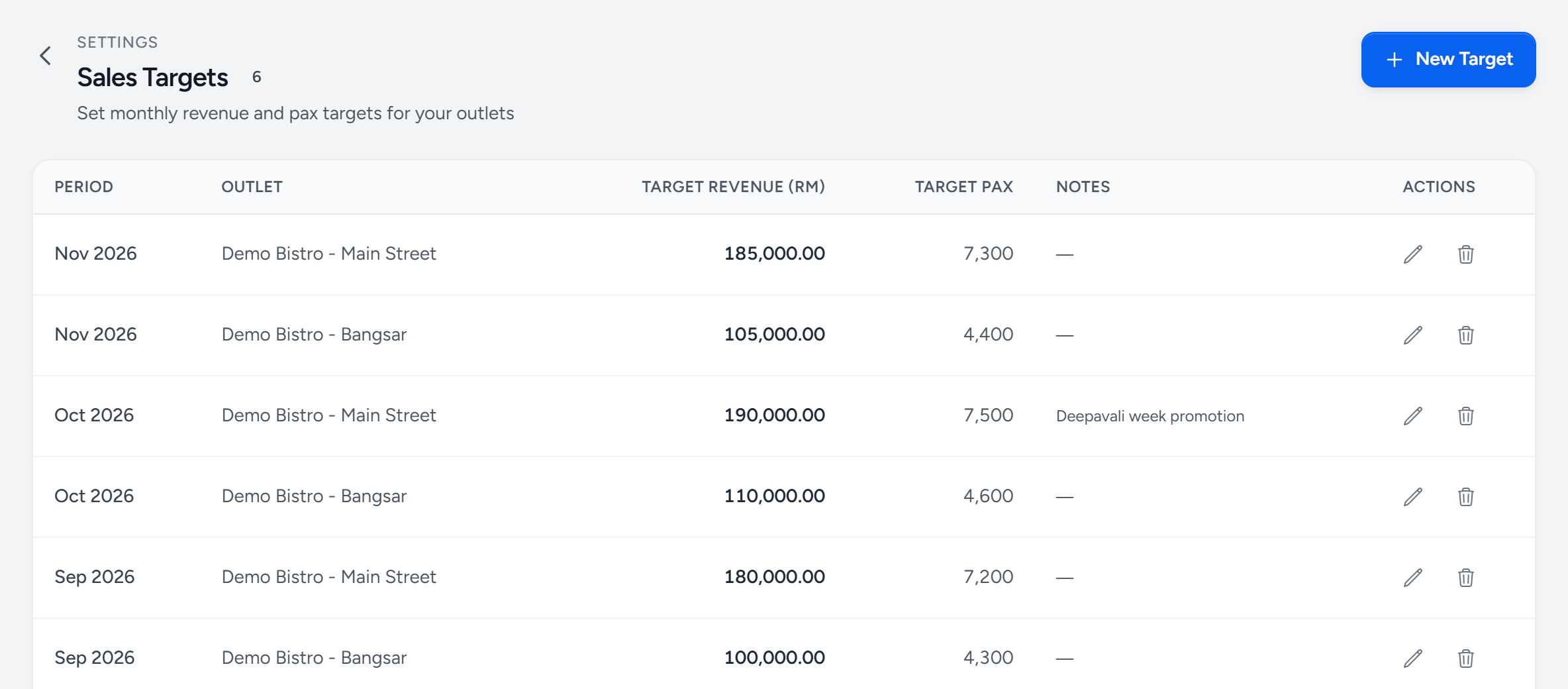
- New Target — one outlet, one month.
- Period — the month it is for.
- Target revenue — what the outlet is aiming to take.
- Target pax — covers, so a busy month at a low average check still shows.
- Notes — why this month is different — a promotion, a holiday.
Setting a number worth having
Base it on the same period last year plus what you actually know is changing — a price rise, a new platform, a competitor opening. A target invented at the start of the year and never revisited stops being read by February.
Still stuck?
Tell us what you were trying to do — a person on our team will reply. If this guide is missing a step or out of date, say so and it gets fixed in the manual, not just in an email.