Ingredients & recipes
Price classes
One dish, several prices — dine-in, takeaway, delivery platform — each with its own margin.
2 min read · Last reviewed 22 Oct 2026
The same nasi lemak sells at three prices: RM 22.90 in the dining room, RM 21.50 for takeaway, RM 27.02 on a delivery platform that takes 30%. All three have different margins, and only one of them is on your menu.
How they work
Define your price classes once under Settings → Price Classes — typically Dine-in, Takeaway, and one per delivery platform. Each recipe can then carry a price for each class, and Servora shows the food cost percentage and margin for each.
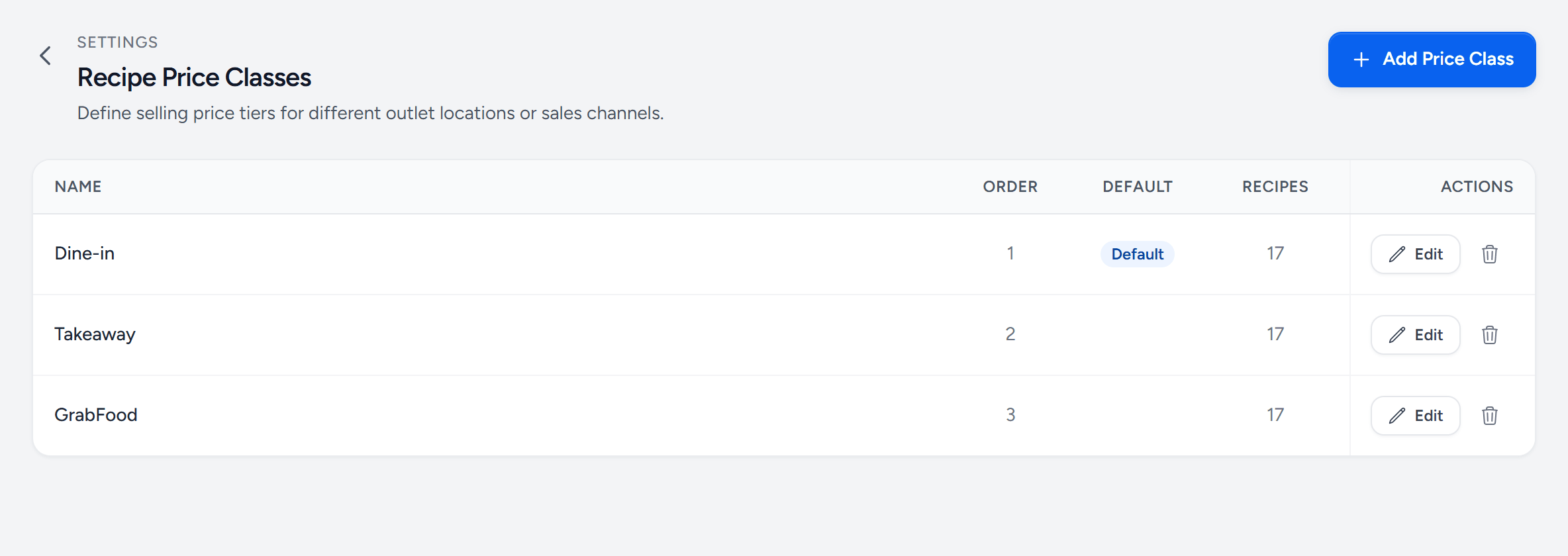
- Add Price Class — one per way you sell: dine-in, takeaway, each delivery platform.
- A class — its name is what the recipe form shows above each price.
- Default — the price used where no class is given — your menu price.
- Recipes — how many recipes have a price in this class.
- A delivery platform — priced above dine-in to cover the commission.
What this shows you
Usually something uncomfortable. A dish at 31% food cost dine-in can be at 44% on a platform after commission, and the volume that platform brings is losing money on precisely the dishes the platform promotes.
Price classes are how you find that out before the quarter ends rather than after.
Setting a class price
Open a recipe and enter a price for each class under Selling Prices. The cost summary beside it shows the food cost % and gross profit at each one. See Cost a recipe.
Still stuck?
Tell us what you were trying to do — a person on our team will reply. If this guide is missing a step or out of date, say so and it gets fixed in the manual, not just in an email.