Training
The staff training portal
A separate login so floor staff can train without a Servora account.
2 min read · Last reviewed 22 Oct 2026
Most floor staff do not need a Servora account, and giving one to everybody who works a Saturday is neither practical nor safe. There are two places they train instead, and neither needs one.
The Staff Portal: Learn
Every employee with a Staff Portal PIN already has Learn on their phone: their courses, the quizzes that test them, their progress and their certificates, and Board for the leaderboard. Give staff a PIN under HR → Staff PINs — see Clock-in — and there is nothing else to set up.
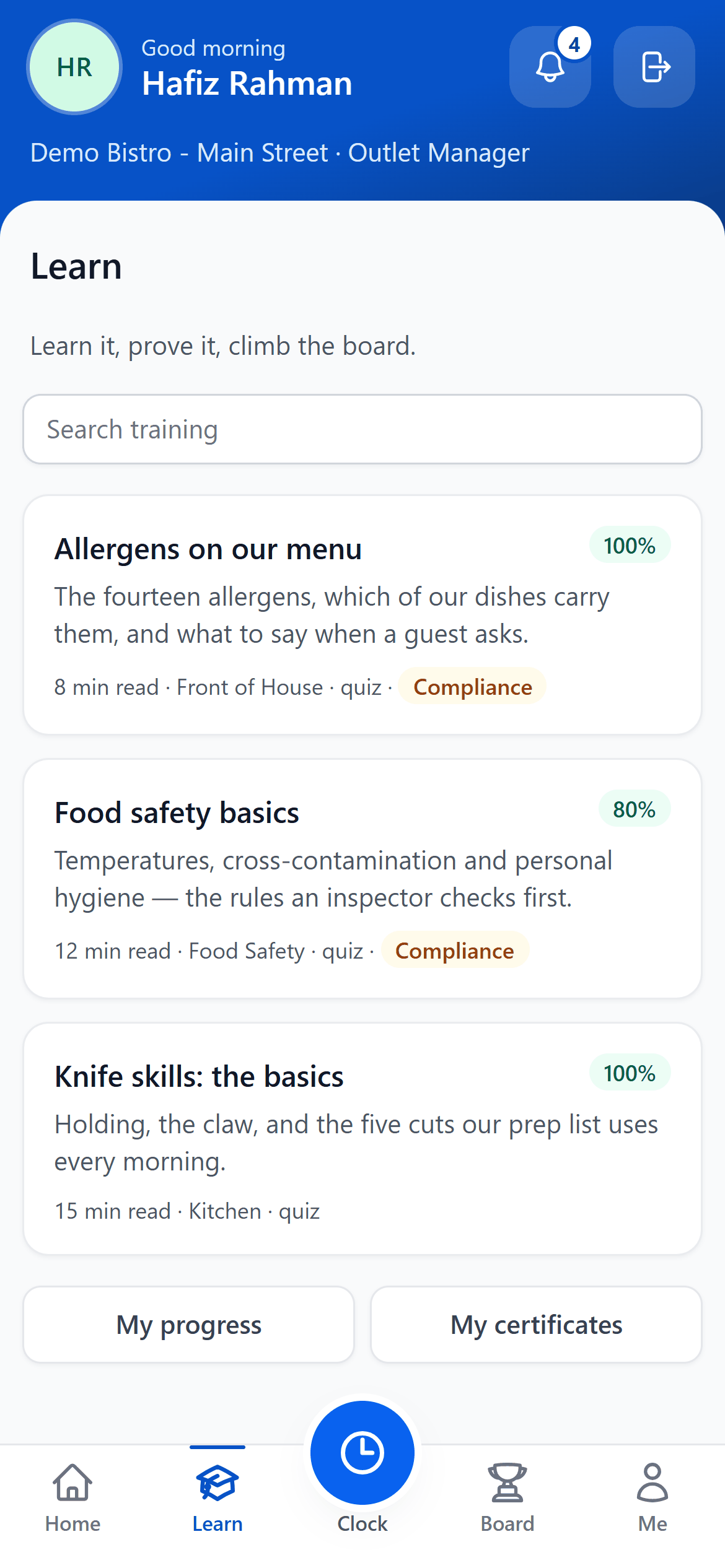
- Learn — everything assigned to them, on their own phone.
- A course — read it, then take its quiz.
- Their score — their best result on the quiz.
- Compliance — a course they must hold.
- My progress — what is done and what is still to do.
- My certificates — every certificate, with its QR code.
The Training Portal: your SOP library
The Training Portal is a separate website for your recipes' SOPs — the method, the photos and the video for every recipe with preparation steps — that staff can read on any device. Set it up under Settings → Training Portal:
- Share the Employee Registration URL. Staff sign up there with their email.
- Approve them under Pending. Only approved people can sign in.
- They sign in at the Employee Login URL from then on.
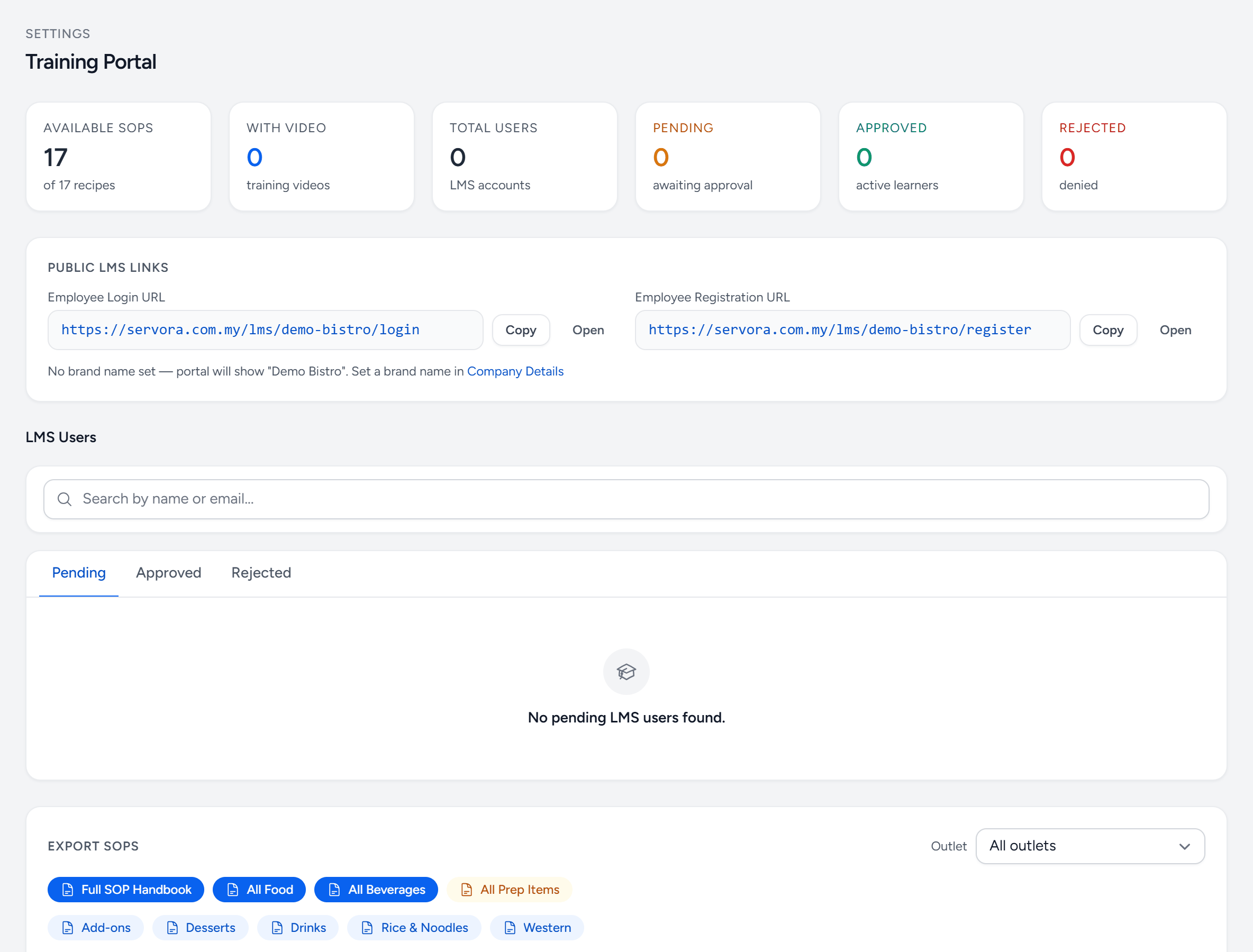
- Available SOPs — recipes with preparation steps, which is what the portal shows.
- Login link — where approved staff sign in.
- Registration link — share it with new staff.
- Pending — sign-ups waiting for you to approve.
- Export SOPs — the SOPs as a PDF, all of them or one category.
- Saved PDFs — kept until the SOPs change.
Why not just give everyone a login
Because a Servora account carries permissions, an email address, a password to forget and an account to disable when somebody leaves. A Staff Portal PIN or a Training Portal sign-in carries none of that, and it is the correct amount of access for somebody whose only task is to watch a five-minute course about allergens.
Still stuck?
Tell us what you were trying to do — a person on our team will reply. If this guide is missing a step or out of date, say so and it gets fixed in the manual, not just in an email.