Getting started
What Servora does
One system for what you buy, what you cook, what you sell and who works the shift — so the food cost number is a fact rather than a guess.
2 min read · Last reviewed 22 Oct 2026
Servora is operations software for food and beverage businesses. It joins up the four things that decide whether an outlet makes money, and keeps them in one place so they agree with each other:
- What you buy — purchase requests, orders, deliveries, goods received, supplier invoices and credit notes.
- What you cook — recipes and prep items costed off live ingredient prices, with yield and waste built in.
- What you sell — sales entered by hand or pulled from your POS, against targets and against the cost of making it.
- Who works the shift — rosters, attendance, leave, overtime, payroll and training.
Why one system rather than four
The reason food cost is hard to know is not arithmetic. It is that the price you paid lives on a supplier invoice, the quantity lives in a recipe, and the sales live in a POS — and nothing reconciles the three. Servora's design is that each fact is entered once, at the point somebody already had to touch it, and everything downstream re-costs itself.
Receive a delivery at a higher price and the ingredient's cost changes. Every recipe using it re-costs. The food cost percentage on the dashboard moves. Nobody re-keys anything, and nobody has to remember to.
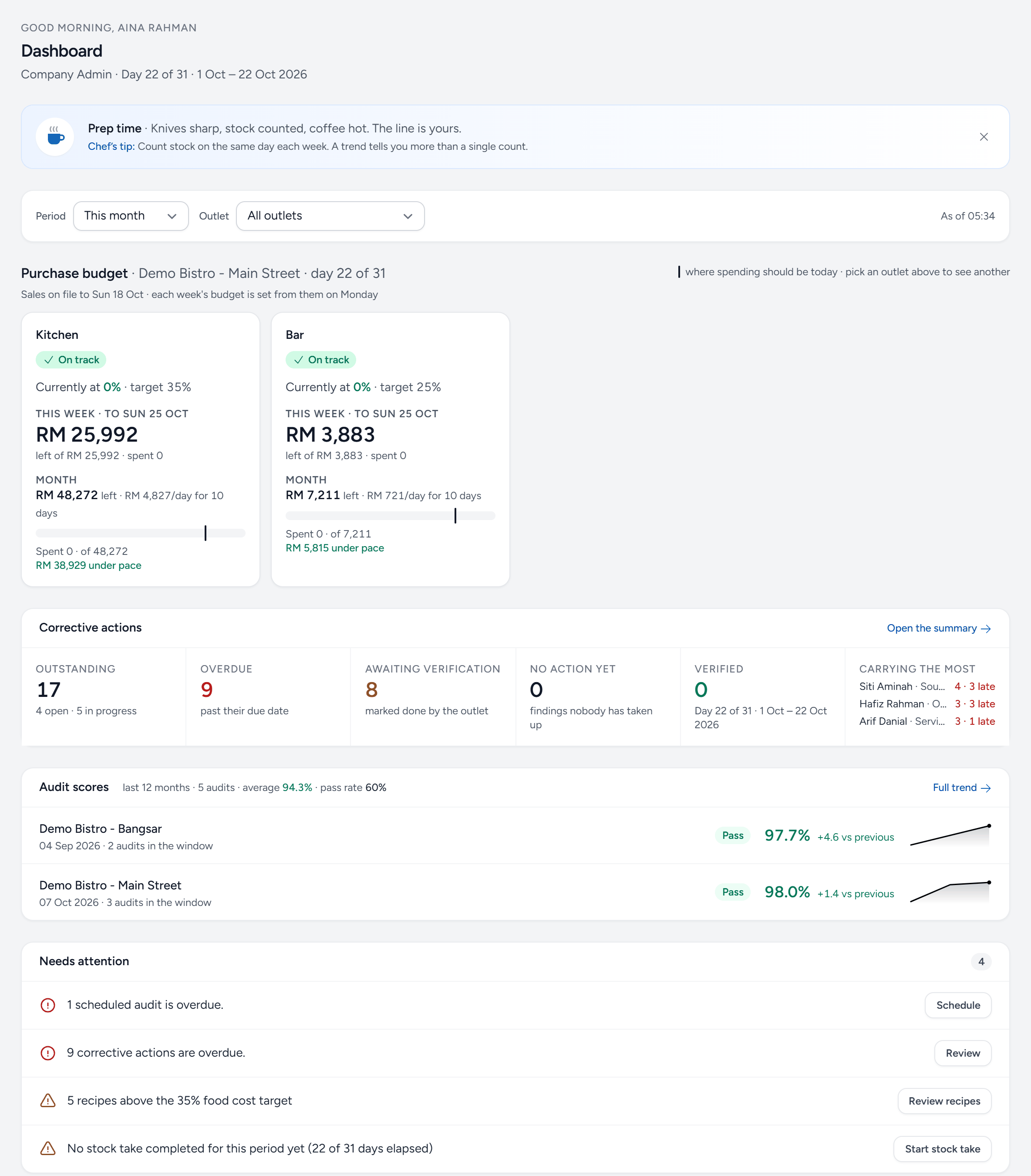
- Dashboard — the first screen after signing in. What is on it depends on your role: an owner sees profit and loss, a manager sees the work.
- Period — this month, last month or a range. Every figure on the page follows it.
- Outlet — all outlets together, or one. You only see the outlets you have been given.
- Purchase budget — how much each department can still spend this week and this month, from the sales on file.
- Corrective actions — findings from outlet audits that still need fixing, and who is carrying the most.
- Audit scores — each outlet's latest score and its trend.
- Needs attention — the jobs that are late or missing, each with a button that takes you straight to it.
What it is not
Servora is not a point-of-sale system and does not take orders from customers. It reads sales from your POS (or you enter the daily totals) and works backwards from there. It is not an accounting ledger either — it produces the documents and the numbers your accountant needs, but it does not replace them.
Still stuck?
Tell us what you were trying to do — a person on our team will reply. If this guide is missing a step or out of date, say so and it gets fixed in the manual, not just in an email.