Labels
Expiring stock and the print log
See what is about to run out of life, and prove what was labelled when.
2 min read · Last reviewed 22 Oct 2026
Expiring
Labels → Expiring lists everything labelled at that outlet and not yet dealt with, soonest first: Expired, Today and Tomorrow. Group by Print set to walk one station at a time. In the staff label app each row also carries a meter showing how much of its own life is left.
The meter turns amber in the last quarter of that item's own window, capped at three days. Windows here run from twelve hours to a month, so a flat "warn under 24 hours" would make every same-day prep item amber the moment it was printed — the warning has to be proportional to the item to mean anything.
Close each one off as you deal with it: Used — eaten as normal; Wasted — binned, and a costed line goes into today's wastage record; Discarded — binned, for something with no cost behind it.
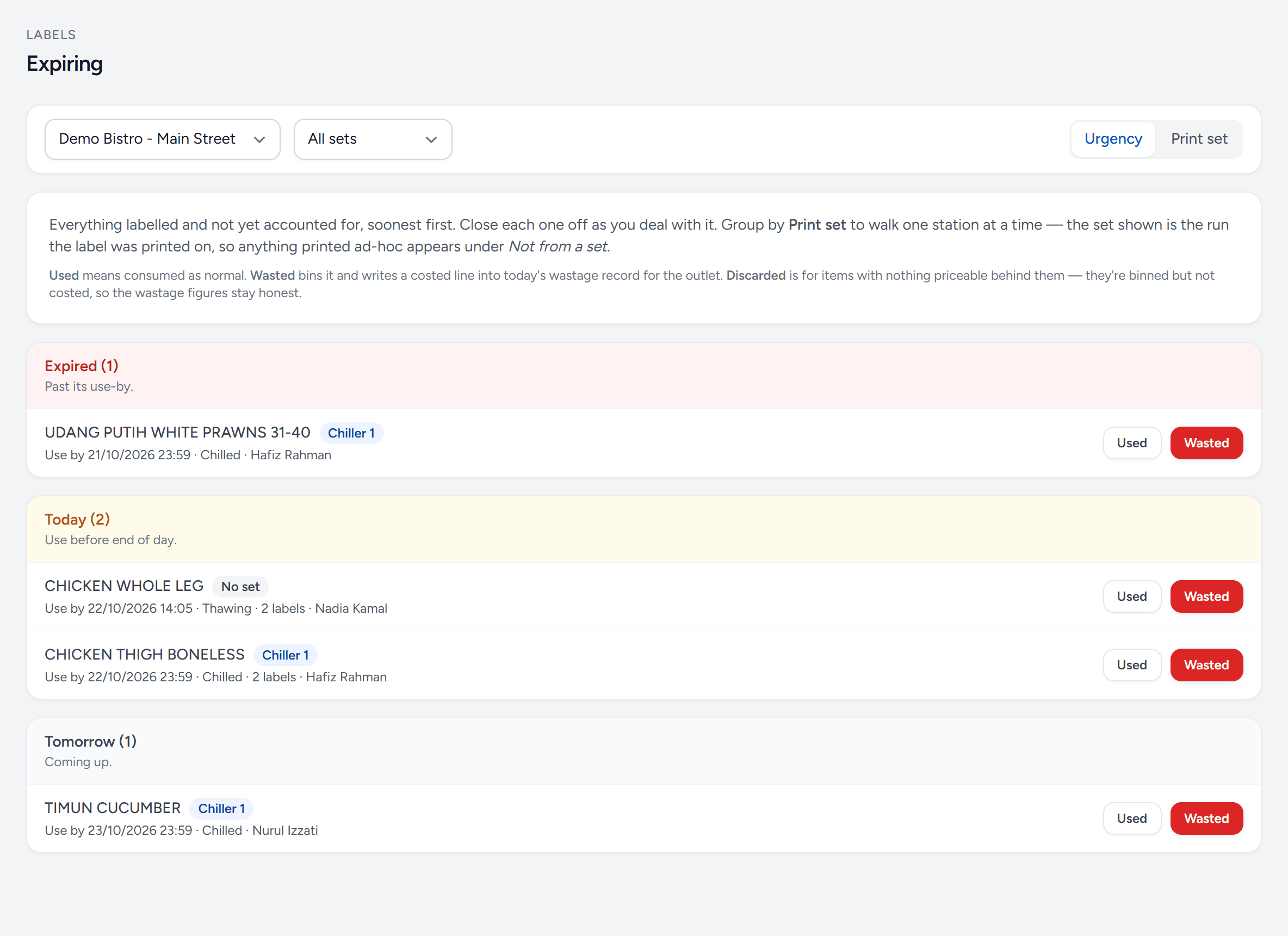
- Outlet and set — one outlet at a time; narrow it to one set.
- Urgency — everything soonest first.
- Print set — grouped by station, to walk one at a time.
- Expired — past its use-by. Deal with these first.
- Today — use before the end of the day.
- The set — which run it was printed on; Not from a set if it was printed on its own.
- Used — eaten as normal.
- Wasted — binned — and written into today's wastage, at cost.
Walk this screen before service. It is the difference between finding out at 7pm and finding out at 11am.
The print log
Every label ever printed, grouped by print run: when, which set, who prepared it, and how many labels. Open a run to see each label's item, storage state, prepared time and use-by — as printed, even if the item has changed since.
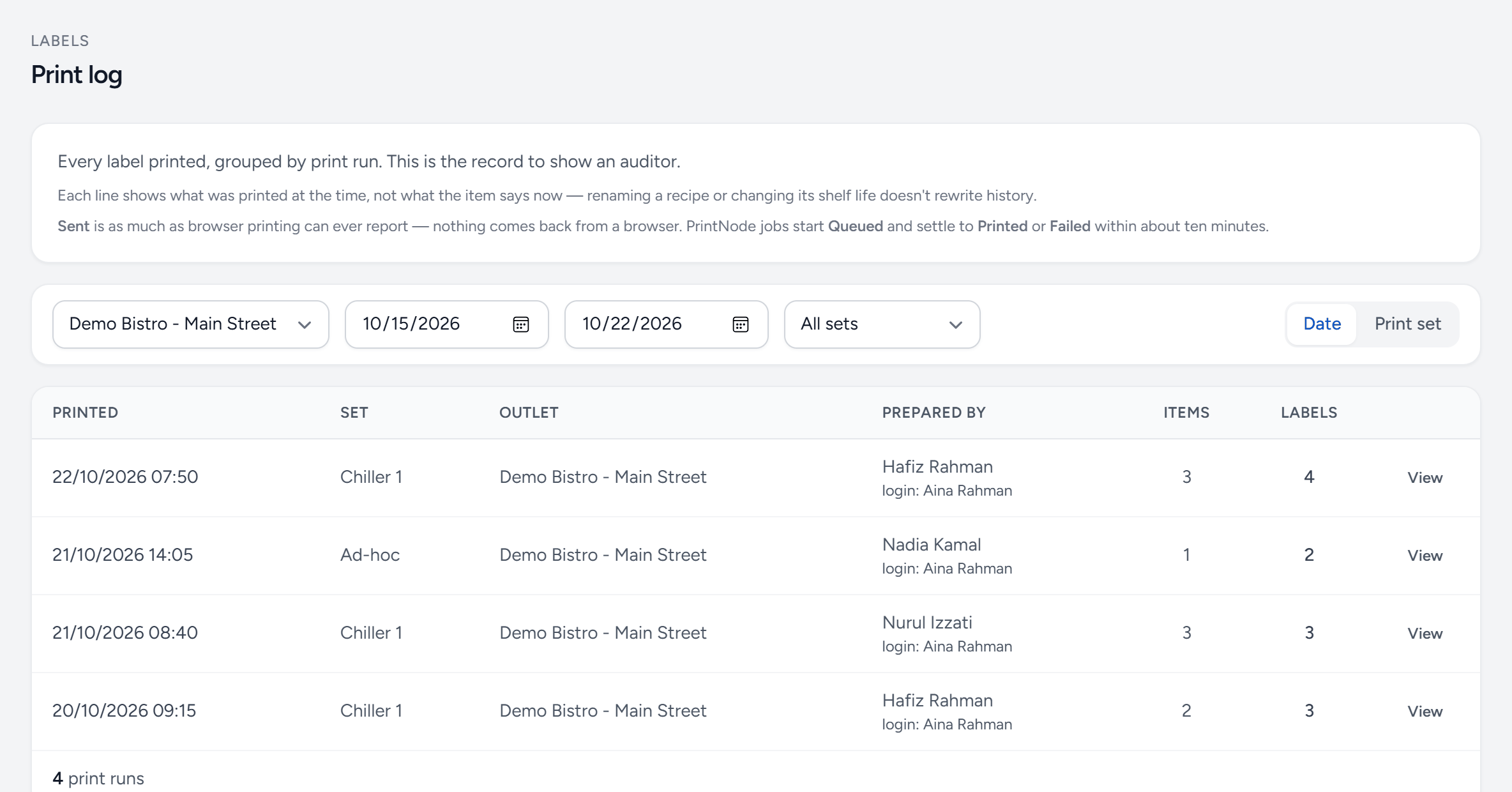
- Outlet — whose labels.
- Dates — the period to show — an inspector will name one.
- Group by — date, or print set.
- Printed — when the run was printed.
- Prepared by — the person named on the labels, and who was signed in.
- Labels — how many came off the printer.
- View — every label in the run, as printed.
Two things it is for:
- An audit. An inspector asking to see your date-labelling records gets a filtered, dated, named list rather than a shoebox.
- An investigation. When something goes wrong, the log says exactly what was labelled, when, and by whom.
Labels flagged as manually dated stand out here — they are the ones where no rule was found and a human typed the date, and a lot of them means a gap in your rules worth closing.
Still stuck?
Tell us what you were trying to do — a person on our team will reply. If this guide is missing a step or out of date, say so and it gets fixed in the manual, not just in an email.