Labels
Printers and print agents
How a label gets from the browser to a thermal printer in the kitchen, and what to do when it does not.
3 min read · Last reviewed 22 Oct 2026
Servora runs in a browser and the printer is a physical device in a kitchen. There are two ways to join them:
- Browser — the outlet PC the printer is plugged into prints straight from Chrome. Label Preferences has the one-time Chrome setup.
- Print agent — for phones and tablets: a small Windows program on that PC prints what they send.
Either way, each printer is one row under Labels → Label Settings → Label Printers.
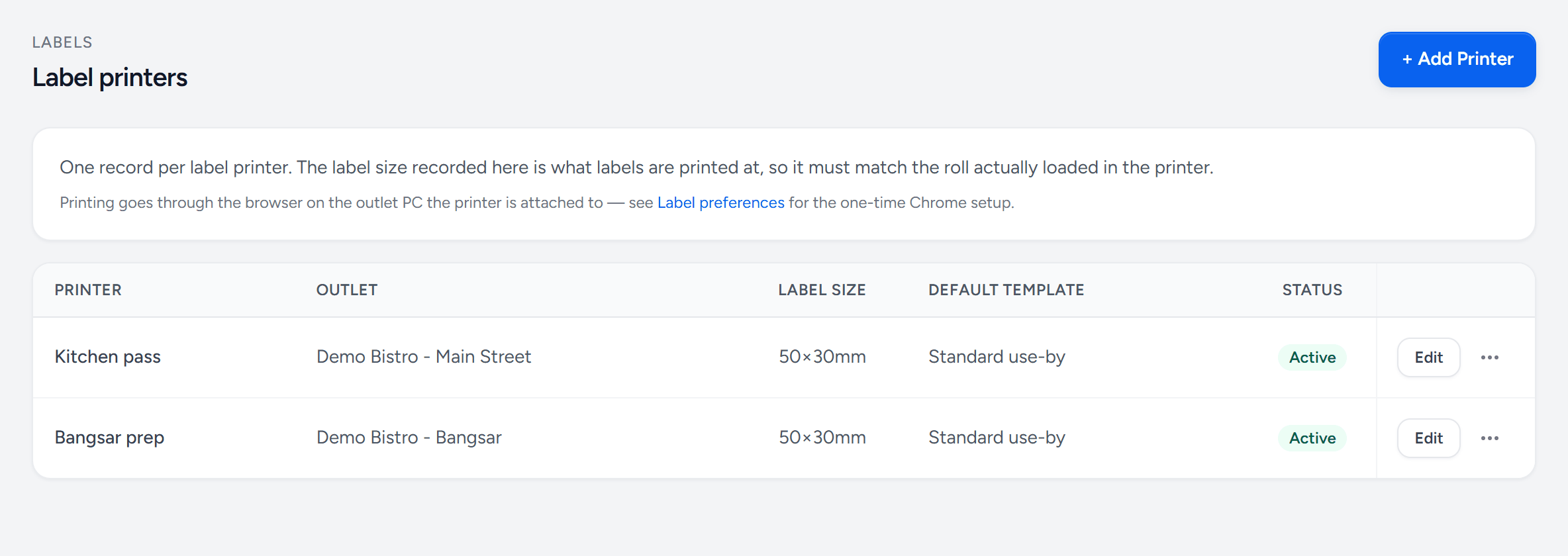
- Add Printer — one per label printer, at its outlet.
- Label size — must match the roll actually loaded.
- Default template — what prints when nothing else is chosen.
- Status — an inactive printer drops out of the print screens.
- Label preferences — the one-time Chrome setup for printing from the browser.
How the print agent works
- Someone presses Print in Servora. A print job is queued on the server.
- The print agent on the outlet PC polls for jobs every few seconds.
- It downloads the PDF and sends it to the named Windows printer at exactly 100% scale.
- It reports back done or error, and the print log shows which.
Setting one up
- Download the agent from the Downloads page.
- Run it on the outlet PC the printer is attached to. It installs as a Windows service, so it survives a reboot and needs nobody logged in.
- It asks for a pairing code. Add the agent in Servora under Labels → Label Settings → Print Agents and generate its code there.
- Once paired, the agent reports the printers it can see. Match each to a Servora printer under Label Printers, and set the paper form.
Paper size is the thing that goes wrong
Label printers default to A4 or Letter, and a 50 × 30 mm label rendered onto A4 comes out as a rotated postage stamp in the corner of a big sheet. Two rules:
- Create the label size as a named form in Windows Print Server Properties, and set it as the printer's default preference.
- Name that form on the Servora printer too, so the job specifies it rather than trusting the driver.
Never set the driver to scale-to-fit. The templates are drawn at real size and a scaled label is the wrong size.
When nothing prints
| Symptom | Usually |
|---|---|
| Agent shows offline | The outlet PC is off, asleep, or off the network. Check the machine before anything else. |
| Job stuck at queued | Agent is not running. Restart the Servora Print Agent service. |
| Job says done, nothing came out | It reached the Windows spooler. Look at the printer: labels, lid, error light. |
| Prints wrong size or rotated | Paper form. See above. |
| Job says error | The message on the job says what the agent hit. |
Done honestly means "handed to the Windows spooler and the printer program exited cleanly". It does not mean a label physically emerged — no software can promise that.
Still stuck?
Tell us what you were trying to do — a person on our team will reply. If this guide is missing a step or out of date, say so and it gets fixed in the manual, not just in an email.