Labels
Shelf-life rules
Where use-by dates come from, and the order Servora looks for one in.
2 min read · Last reviewed 22 Oct 2026
A shelf-life rule says: this item, in this storage state, lasts this long. Set them once and every label prints the right date without anybody deciding.
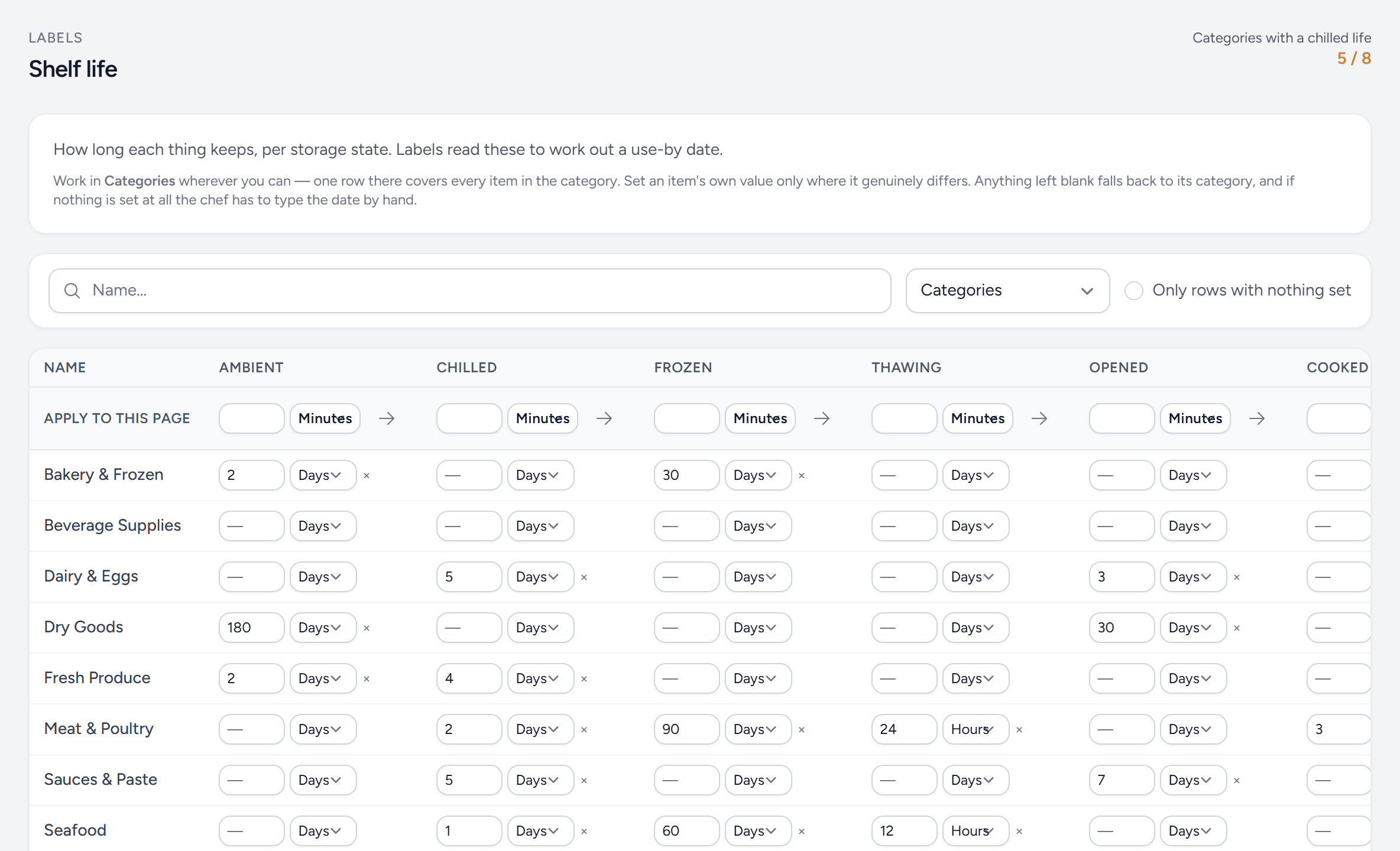
- Coverage — how many categories have a chilled life. Aim for all of them.
- Search — by name.
- Categories or items — set categories first; switch to items, prep or production for the exceptions.
- Only rows with nothing set — what is still missing.
- Apply to this page — one value for every row shown.
- A category — one row covers every item in it.
- Chilled — a number and a unit: minutes, hours or days. × clears it.
- Frozen — each state is its own rule. Blank means none — Servora does not guess.
Storage state is part of the rule
The same item lasts different lengths of time depending on how it is kept, so a rule is always for a state — chilled, frozen, ambient or thawed. A three-day chilled life says nothing about frozen, and Servora will not guess: if you have not set a frozen rule, it asks rather than inventing one.
Setting them at the right level
Rules can be set on a category or on an individual item. Do the category first — "all prepared sauces last 5 days chilled" covers forty items in one row — and then override the handful that differ.
The order Servora looks
- A rule on the item itself.
- For a prep item, the rule on the recipe behind it.
- A rule on the item's category.
- A shelf life recorded on the recipe from before rules existed — used only when the state being asked about matches the item's own storage instruction.
- Nothing found: staff enter the date by hand and the label is flagged as manually dated.
The screen shows which level a life came from, so you can see whether an item is inherited or set directly.
Getting the numbers right
Shelf lives are a food-safety matter, not a system setting. Take them from your HACCP plan or your food-safety consultant, not from what the last kitchen did. Servora will print whatever you configure, correctly and consistently — including a wrong number.
Still stuck?
Tell us what you were trying to do — a person on our team will reply. If this guide is missing a step or out of date, say so and it gets fixed in the manual, not just in an email.