Inventory
Wastage and staff meals
The two habits that decide whether your stock figures mean anything.
2 min read · Last reviewed 22 Oct 2026
These are the least glamorous screens in Servora and the two that most affect whether the rest of it works.
Wastage
Anything that leaves stock without being sold: spoilage, burnt, dropped, expired, over-produced. Record it under Stock Management → Wastage → Record Wastage with the ingredient, the quantity and a reason on each line.
Recording wastage does not increase your food cost — the food was already gone. What it does is move that cost from "mysterious variance" into a line you can read. A month with RM 2,000 of unexplained variance and a month with RM 2,000 of recorded wastage cost the same and only one of them can be fixed.
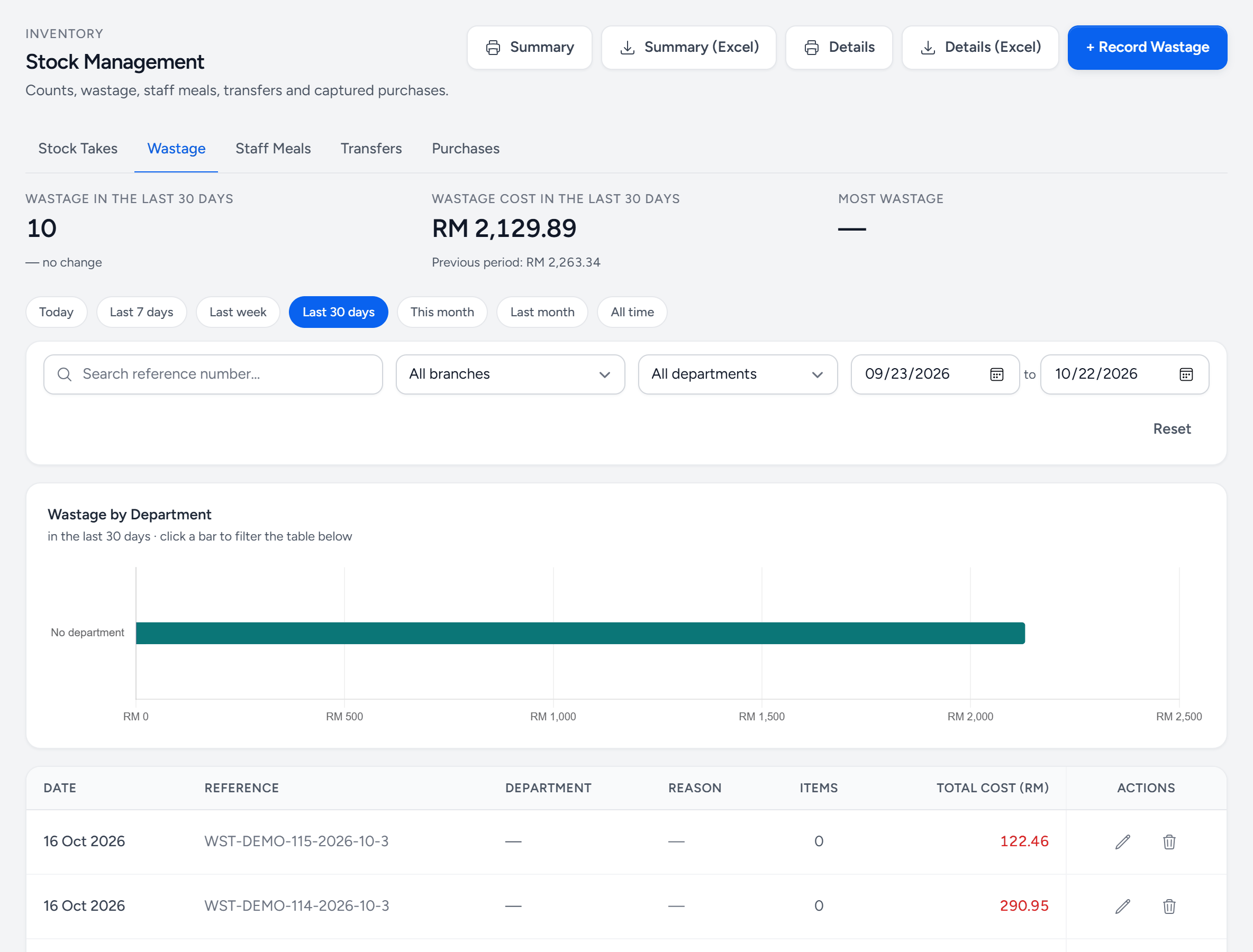
- Wastage — one of five tabs: stock takes, wastage, staff meals, transfers and captured purchases.
- Record Wastage — a new record: the items, quantities and a reason for each.
- Wastage cost — for the period, against the period before.
- By department — click a bar to filter the table to that department.
- Reason — what happened. Keep the reasons to a handful.
- Total cost — at cost, the money that went in the bin.
- Staff Meals — the tab next door, recorded the same way.
Make the reasons few and real
Four or five reasons, matched to what actually happens: Spoilage, Prep error, Over-production, Expired, Customer return. Twelve reasons produce a report where everything is "Other".
Staff meals
Staff meals are real food from real stock and, at fifteen staff eating daily, real money. Record them under Stock Management → Staff Meals — the day, and what was cooked, as ingredients or whole dishes, or just the total value. They come off stock and appear as their own cost line rather than inflating food cost.
The habit
Both of these are only useful if they happen at the moment, on the floor. Assign it to whoever closes the kitchen and make it part of the close-down checklist. A wastage log written from memory on Friday is a work of fiction.
Still stuck?
Tell us what you were trying to do — a person on our team will reply. If this guide is missing a step or out of date, say so and it gets fixed in the manual, not just in an email.