Inventory
Par levels
Set the level each item should not fall below, and let the system flag the ones that have.
2 min read · Last reviewed 22 Oct 2026
A par level is the quantity of an item an outlet should hold. Set them and ordering becomes a matter of topping up to par rather than walking the store guessing.
Setting them
Under Settings → Par Levels, pick the outlet and type a par per ingredient — it saves as you go. They differ by outlet, so a busy branch and a quiet one do not have to carry the same.
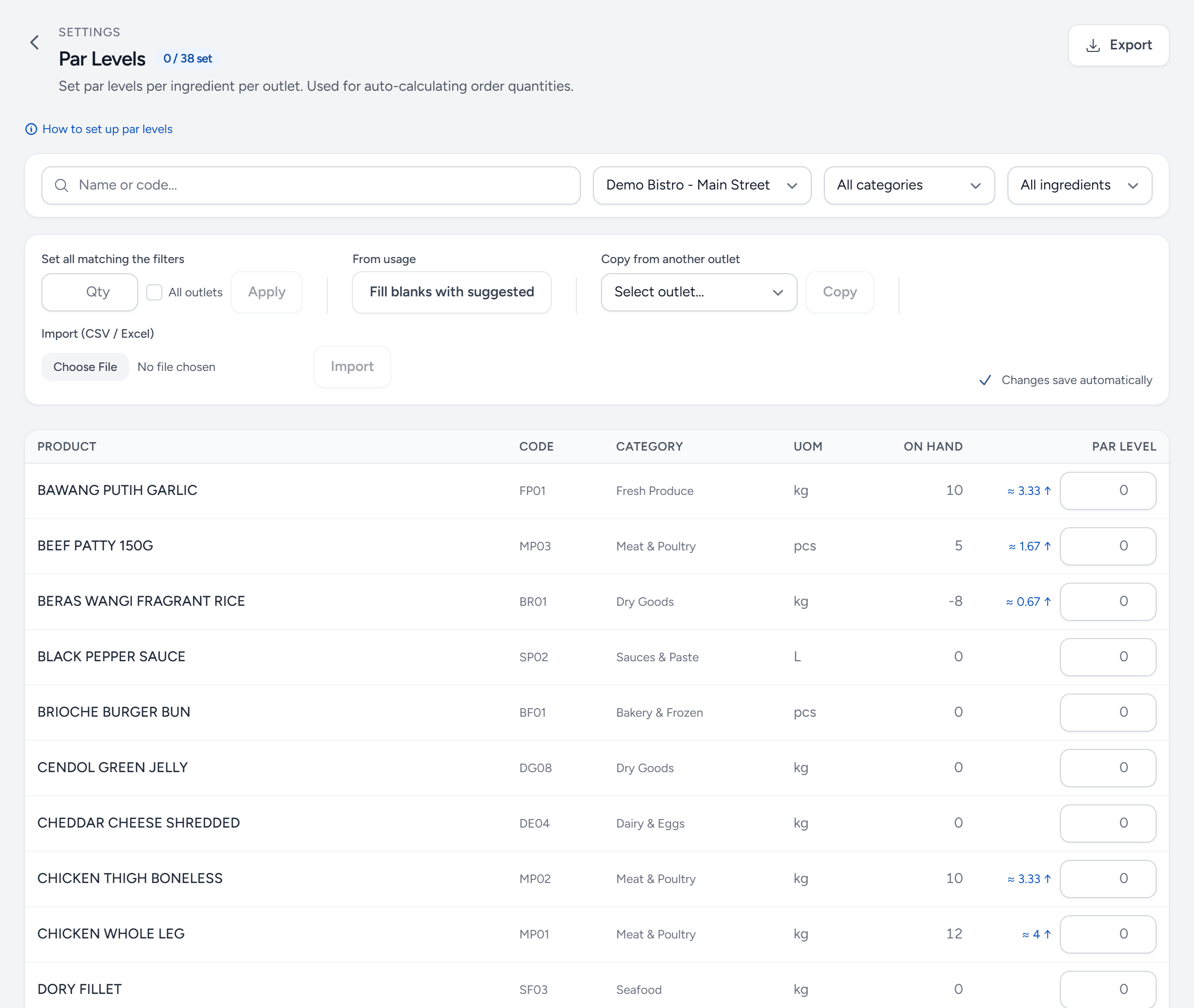
- Outlet — pars are per outlet. Pick it first.
- Fill blanks with suggested — a starting point from the last three months of purchases, for every item without a par.
- Copy from another outlet — start a new branch from one that already works.
- On hand — today's stock. Red means below par.
- Suggested — tap it to use it as the par.
- Par level — type it and move on — it saves by itself.
- Saved — every change is saved as you type.
How to choose a number
Par = average daily usage × days between deliveries × 1.3
The 1.3 is the safety margin for a busy weekend or a late van. Tighten it for expensive or fast-spoiling items and loosen it for dry goods. Look at a month of usage in the reports before you guess.
What they do for you
- The On hand column shows each item's stock beside its par, in red when it is below.
- Top up to par on a purchase request fills in what brings everything back to par. A standing order can do it by itself every week. See Raise a purchase request.
Review them twice a year
Pars set for last year's volumes are how outlets end up over-ordering through a quiet season. Menu changes and seasonal swings both move them.
Still stuck?
Tell us what you were trying to do — a person on our team will reply. If this guide is missing a step or out of date, say so and it gets fixed in the manual, not just in an email.